The Unexpected Benefits of a Gaming Desk for the Home Office
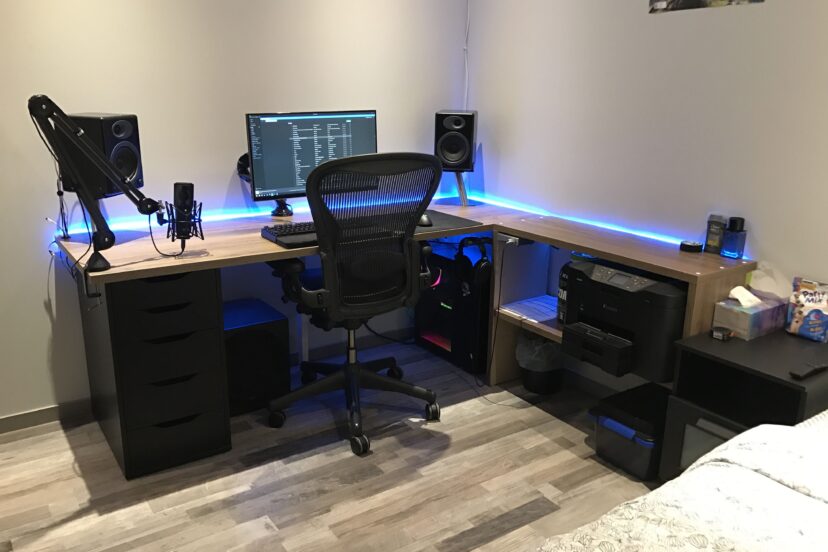
*Purchases made through our links may earn us a commission. Please view our disclosure to learn more.
Have you ever sat down to work, bumped your desk, and watched your monitors wobble like a bowl of Jell-O? I spent years working on flimsy, “professional-looking” desks that felt more like cardboard boxes than actual workstations. Then, I made the jump to a gaming desk. The difference was instantaneous. Many people hear “”gaming desk”” and think of neon lights and loud colors, but beneath the flashy exterior lies a piece of engineering designed for maximum performance, endurance, and comfort. If you want to transform your home office into a sanctuary of productivity, it’s time to stop looking at office furniture catalogs and start looking at the gear designed for the pros.
The Gaming Desk vs. The Traditional Desk: A Reality Check
When we shop for home office furniture, we often prioritize how it looks over how it performs. We pick the wood-veneer desk that matches the bookshelf, only to realize six months later that the surface is peeling or the legs are bending under the weight of our equipment. Gaming desks are built differently. They are designed to support heavy gaming rigs, multiple monitors, and the kind of intense, long-term use that would crush a standard budget desk.
Think of a standard home office desk like a sedan—perfectly fine for a commute, but not built for off-roading. A gaming desk is like a 4×4. It’s constructed with heavy-duty steel frames and scratch-resistant surfaces. I’ve found that these desks survive the wear and tear of daily life far better than their “corporate” counterparts.
The Tangible Benefits: Why These Desks Shine
1. Mastering the Cable Jungle: If there is one thing that destroys my focus, it is a tangled mess of cables. It’s like trying to think clearly in a cluttered room. Gaming desks almost always come with built-in cable management trays and grommets. These aren’t just accessories; they are game-changers for mental clarity. Keeping your wires hidden turns your desk from a messy obstacle course into a streamlined command center.
2. Unwavering Stability for Your Workflow: Have you ever been typing a long email and noticed your monitors shaking because of the desk’s instability? It’s a subtle annoyance, but it adds up to cognitive fatigue. Gaming desks are reinforced specifically to eliminate “”wobble.”” When your desk is solid as a rock, your focus stays on your work, not on keeping your coffee from spilling.
3. Integrated Ergonomics: Many high-end gaming desks feature motorized height adjustments. As someone who alternates between sitting and standing, I find this feature indispensable. The ability to shift your posture with the press of a button is the single best thing you can do for your back health and energy levels throughout the workday.
Aesthetics and Focus: Are RGB Lights a Distraction?
People worry that the glowing lights on a gaming desk will be distracting. In reality, I’ve found the opposite. Soft, ambient LED lighting can actually reduce eye strain when working in a dim room. Plus, most modern gaming desks let you set the lights to a crisp, professional white or turn them off completely. You don’t have to live in a disco to enjoy the build quality of these desks.
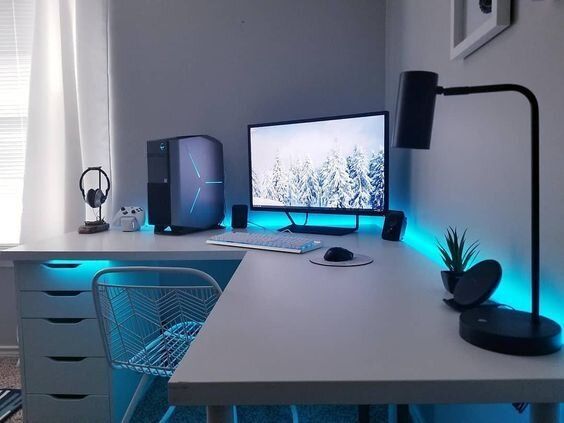
7 Gaming Desks that are perfect for Home Office use. From $100 to $400
Arozzi Arena Gaming Desk – Premium Large Surface Desk
A favorite among serious gamers, this desk offers an extra-wide work surface with a full desk-covering gaming mat designed to hold multiple monitors and accessories. Durable build and ergonomic layout make long sessions comfortable.
Sikaic Gaming Desk – Reversible Gaming Desk
Great balance of size, style, and value — including a spacious tabletop and flexible reversible orientation. Solid for mid-tier gaming setups or home office combos.
SEDETA U Shaped Gaming Desk with LED Lights – Budget Friendly with LED
Highly rated desk featuring built-in LED lighting and storage shelves, making it both functional and visually striking for gaming and office environments.
SEDETA 78.8″ Gaming Desk – Larger Hutch Version with Storage & Outlets
A slightly larger variant with a 55″ work space and power-ready features, ideal if you want more workspace and organization.
Furologee 60″ Office Gaming Desk – Office Style Gamer Desk
A versatile desk with drawers and a simple shelve and gaming LEDs. An ergonomically designed desk that keeps everything within reach.
Eureka Ergonomic RGB LED Gaming Desk – RGB Glass Top Gaming Desk
Feature-rich with tempered glass surface and extensive lighting effects is great if you want a sleek, customizable look with high-end flair. Perfect for the minimalist home office/gamer setup.
Eureka Ergonomic 72″ Gaming Desk – Large Workstation Desk
A big desktop space plus accessories support (like a keyboard tray), suited for immersive gaming environments or mixed office use. Another great minimalist design.
Pros of Switching to a Gaming Desk
- Superior Build Quality: Designed to handle heavy loads, ensuring your expensive monitors and PC are safe and secure.
- Advanced Cable Management: Reduces visual clutter and stress, creating a cleaner, more professional environment.
- Enhanced Versatility: Most modern gaming desks offer sit-stand functionality, which is critical for long-term physical health.
Cons of Ignoring the Benefits of a Gaming Desk
- Persistent Physical Strain: Sticking to a static, non-adjustable desk often leads to chronic neck and back issues that could be mitigated with better equipment.
- Decreased Focus: A cluttered, wobbly workspace creates a background level of stress that lowers your ability to perform deep work.
- Hidden Long-Term Costs: Low-quality desks degrade quickly, forcing you to replace them every few years, which is more expensive than buying one high-quality, durable gaming desk once.
Setting Up a Gaming Desk
Don’t just eyeball it. I learned the hard way that a desk that looks huge in the store can feel cramped once you add a printer, a lamp, and a coffee mug. Measure your available space, but also consider your “reach zone.” You want everything you need to be accessible without overextending.
Material Matters:
Many gaming desks feature a carbon-fiber-textured surface. While this is marketed for mouse movement, the secondary benefit is that it is incredibly easy to clean and resistant to spills. It feels professional, sleek, and high-tech that is perfect for an office environment.
Making the Investment: Is It Worth It?
When you but your first gaming desk, you may question if it was an “adult” choice. You will realize that it was the smartest professional decision you made for your home office. It’s an investment in your comfort, your gear, and your efficiency. If you are serious about your work, you need a workstation that is as serious as you are.
Conclusion: Designing Your Command Center
Your workspace is a tool, not just furniture. If you want to produce your best work, you need a desk that supports you physically and mentally. By choosing a gaming desk for your home office, you aren’t just buying a table; you’re upgrading your entire professional ecosystem. It’s time to move past the wobbly, cluttered desks of the past and embrace a setup built for endurance. Your back, your focus, and your monitors will thank you.
Frequently Asked Questions
- Do I need to use the LED lights if I buy a gaming desk? Not at all. Most gaming desks allow you to toggle the lights off or change them to a solid white, making them look like standard, high-end professional desks.
- Are gaming desks really better for my back? Yes, primarily because most quality gaming desks are “”sit-stand”” desks. This adjustability allows you to break the habit of sitting all day, which is the root cause of most back pain.
- Won’t a gaming desk look unprofessional on a video call? Not if you choose a sleek, black, or neutral-colored model. Most gaming desks have a minimalist profile that looks very sharp on camera.
- Is it difficult to manage the cables on these desks? It’s actually much easier. Gaming desks come pre-designed with cable trays and cutouts that make “”hiding”” your cords a simple process, unlike standard desks where you have to drill your own holes.
- How much weight can a typical gaming desk hold? Most gaming desks are built with heavy-duty steel frames capable of supporting upwards of 200–300 lbs, making them much more robust than typical office furniture.