The Ultimate Guide to Ergonomic Seating for the Home Office
*Purchases made through our links may earn us a commission. Please view our disclosure to learn more.
Introduction: My Journey into Home Office Ergonomics
When the remote work boom took the world by storm, most of us weren’t prepared. I distinctly remember setting up my laptop at the kitchen island, pulling up a sleek, wooden dining chair, and thinking, “Yeah, I can do this for eight hours.” Spoiler alert: I couldn’t. Within three weeks, my lower back felt like it had been twisted into a pretzel, my shoulders were permanently hitched up to my ears, and my afternoon energy crashes were brutal. That was the exact moment I realized my workspace setup wasn’t just inadequate, it was actively sabotaging my body.
What exactly do we mean when we talk about “ergonomics”? It sounds like a complex corporate buzzword, but it’s actually beautifully simple. Ergonomics is the science of designing the workplace to fit the worker, rather than forcing the worker’s body to fit an awkward environment. In the context of your home office, it means creating a space that supports your natural alignment, minimizes physical strain, and maximizes efficiency. At the absolute center of this universe sits your chair. It is the foundation of your daily health and productivity.
Why Your Standard Kitchen Chair is a Silent Productivity Killer
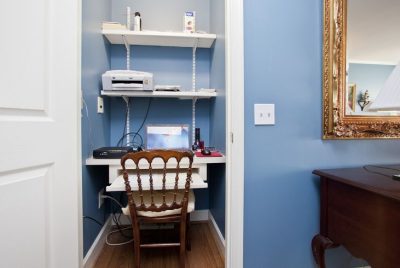
Have you ever stopped to think about what happens to your body when you sit on a flat, non-adjustable surface? Traditional chairs treat your spine like a straight line, but human anatomy is full of beautiful, subtle curves. When you sit on a rigid kitchen chair, your pelvis tends to tilt backward, forcing your lower spine to flatten out. This creates a chain reaction. Your shoulders round forward, your neck protrudes toward the screen like a turtle, and the muscles in your back have to work overtime just to keep you upright. Think of it like driving a car with misaligned tires, eventually, something is going to wear out completely, and it’s going to cost you a lot more than just a quick tune-up.
- Dining chairs lack lumbar support.
- Stools eliminate back support entirely.
- Couches encourage slouching. They’re fine for meals or relaxation—but terrible for productivity and posture.

The Core Benefits of Upgrading to an Ergonomic Office Chair:
1. Goodbye, Aches: Unmatched Musculoskeletal Support
The most immediate and obvious shift you notice when transitioning to a high-quality ergonomic chair is the profound relief from physical strain. Instead of fighting your chair, you feel embraced by it. It cradles your body in all the right places, distributing your weight evenly and taking the immense pressure off your skeleton.
Your lower back possesses an inward curve called the lumbar lordosis. Ergonomic chairs feature a specialized contour that nestles perfectly into this curve. By filling this gap, the chair bears the weight of your upper body, allowing your spinal muscles to relax. No more standing up at 5:00 PM feeling like you need a heating pad glued to your lower back.
Ever experience that agonizing tightness right at the base of your skull after a long day of spreadsheets? That is the result of a forward-head posture. When your chair offers proper upper body tracking and adjustable armrests, your elbows can rest comfortably at a 90-degree angle. This simple alignment unloads the weight of your arms from your trapezius muscles, keeping your shoulders dropped and your neck completely strain-free.
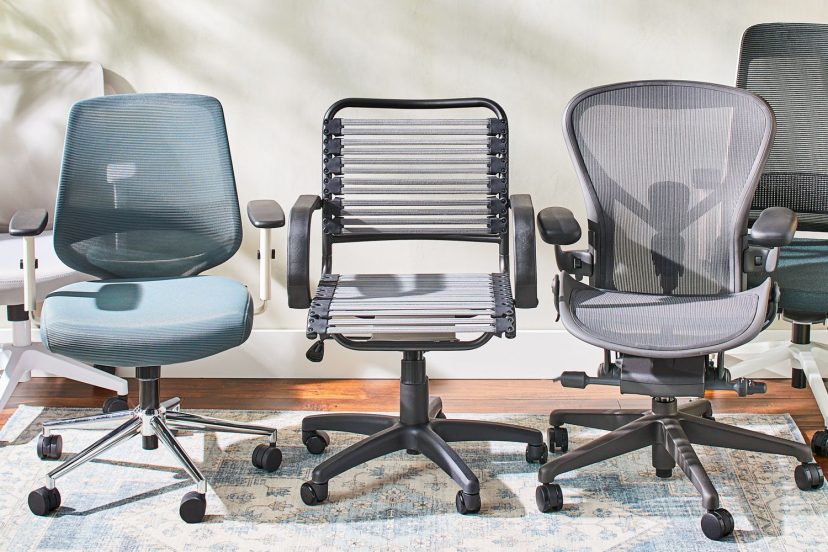
Top 5 Ergonomic Office Chairs Available (Great All-Around Picks) From $130 to $230
Sihoo M57 Ergonomic Office Chair
A popular ergonomic choice with a breathable mesh back, 3D adjustable armrests, robust lumbar support, and ergonomic design that aligns with your spine. It’s great for long hours at a desk or work-from-home setups. Excellent balance of support and price.
Flexispot Ergonomic Mesh High‑Back Office Chair
Premium comfort with self-adaptive lumbar support, adjustable headrest, and a recline range that helps you relax while staying productive. The high-back design and soft 3D armrests make this ideal for full-day use.
TRALT Ergonomic Mesh High-Back Desk Chair
A top ergonomic pick with high ratings for comfort with breathable mesh, adjustable arm rests, and supportive seat design make this a superb everyday office chair.
Colamy Ergonomic Leather High Back Office Chair
Highly rated chair with adjustable lumbar support, padded headrest, and folding armrests. Extremely comfortable and supportive, especially for longer working or gaming sessions. With the added benefit of rocking back and forth.
Oline ErgoPro Ergonomic Office Chair
A comfortable mesh ergonomic chair with adjustable headrest, full recline options, and smooth tilt-lock system. A great pick for those wanting customizable comfort and reliable support.
2. The Secret Productivity Multiplier
As we all know, discomfort is a massive distraction. When your hip is pinching or your lower back is throbbing, you aren’t fully focusing on your projects. You are constantly shifting, stretching, and looking for an excuse to step away from your desk. When I finally upgraded my seating, my ability to enter a deep state of “flow” skyrocketed. You don’t realize how much mental bandwidth pain consumes until that pain is completely removed from the equation. Comfortable seating keeps your brain sharp, focused, and locked into the task at hand.
3. Enhanced Blood Circulation and Energy Levels
Did you know that standard chairs can actually cut off the blood circulation to your lower limbs? The hard edge of a traditional chair seat often presses directly into the back of your thighs, acting like a minor tourniquet. This leads to that sluggish, heavy-legged feeling, and sometimes even pins-and-needles. Ergonomic seating solves this beautifully with features like a waterfall seat edge, which slopes gently downward. This keeps your blood flowing freely, ensuring your brain and muscles get the oxygen they need to keep you energized all afternoon.
Key Features to Look for When Choosing Your Throne:
Adjustable Seat Height and Depth
We are all built differently, so a one-size-fits-all approach to chairs is completely nonsensical. Your ideal chair must feature pneumatic height adjustments so your feet can rest completely flat on the floor. Furthermore, adjustable seat depth ensures that the back of your knees don’t press against the seat pan, which prevents localized pressure points.
Dynamic Lumbar Support Systems
Look for chairs that let you adjust both the height and the depth of the lumbar support. Some premium options even offer dynamic lumbar tracking that moves with you as you lean forward or tilt backward, ensuring your spine is never left undefended.
Armrest Customization and Recline Options
Your armrests should adjust in four dimensions (often called 4D armrests): up and down, forward and backward, side to side, and pivoting inward or outward. This ensures absolute precision for your typing posture. Additionally, a smooth recline mechanism with adjustable tension is vital. Movement is medicine; being able to lean back safely during a phone call keeps your spine mobile and hydrated.
The Ripple Effect: Pros and Cons of Making the Shift:
Pros of Investing in Ergonomic Seating
Investing in a high-quality ergonomic setup pays massive dividends down the road. Here are three incredible pros that I have personally experienced:
- Significant Reduction in Chronic Pain: Eliminates daily backaches, tension headaches, and hip discomfort, keeping you feeling youthful and nimble.
- Dramatic Boost in Work Efficiency: When you are comfortable, you work faster, think more clearly, and hit your deadlines without feeling completely drained.
- Long-Term Health Protection: Prevents long-term spinal issues, disc degeneration, and costly physical therapy bills down the line.
Cons of Ignoring Your Home Office Setup
Conversely, choosing to stay stuck in a poor seating arrangement comes with heavy hidden costs. Here are three major cons of failing to prioritize your ergonomics:
- Accelerated Physical Fatigue: You will continue to deal with chronic muscle fatigue, sluggishness, and poor blood circulation throughout your work week.
- Increased Risk of Cumulative Trauma Disorders: Higher susceptibility to developing painful conditions like carpal tunnel syndrome, sciatica, and chronic repetitive strain injuries.
- Lower Job Satisfaction and Burnout: Working in physical discomfort breeds subconscious resentment toward your job, accelerating daily mental fatigue and burnout.
Practical Advice: How to Calibrate Your Chair for Maximum Comfort
Once your ergonomic chair arrives, don’t just leave it on the factory settings! Take five minutes to calibrate it properly to your body. First, adjust the height so your knees are at a clean 90-degree angle and your feet are firmly planted on the ground. Next, slide your hips all the way back into the seat until your lumbar curve meets the chair’s built-in support perfectly. Adjust the seat pan depth so there is about a two-to-three-inch gap between the back of your knees and the edge of the seat. Finally, adjust your armrests so your shoulders rest in a completely natural, un-hunched position while your wrists glide smoothly over your keyboard.
Conclusion: Your Health is Your Greatest Investment
At the end of the day, your home office setup is an extension of your lifestyle. You wouldn’t run a marathon in shoes that don’t fit, so why spend forty hours a week working in a chair that actively harms your spine? Upgrading to an ergonomic chair isn’t a luxury or an unnecessary indulgence; it is a profound investment in your long-term health, happiness, and career longevity. Listen to your body, give it the structural support it deserves, and watch how your daily energy transforms. Trust me, your spine will thank you for years to come.
FAQs
Q1: Are ergonomic chairs worth the high price tag? Absolutely. Think of it as preventative healthcare. Spending money on a high-quality chair now saves you thousands of dollars later on chiropractors, physical therapists, and lost productivity due to chronic pain.
Q2: How long does it take to get used to an ergonomic chair? It usually takes anywhere from a few days to two weeks. Because your body has been adapted to poor posture for so long, sitting in a chair that forces correct alignment can feel a little strange at first as your muscles adjust.
Q3: Can an ergonomic chair fix my existing sciatica? While it cannot magically cure a medical condition on its own, it can significantly alleviate symptoms. By reducing pressure on the sciatic nerve and promoting proper pelvic alignment, it provides an ideal environment for healing.
Q4: Is a mesh chair better than a padded leather chair? It depends on your preference! Mesh offers incredible breathability and keeps you cool, while high-density foam padding provides a softer, more traditional cushioned feel. Both can offer exceptional ergonomic support.
Q5: Should I still take standing breaks if I have a great ergonomic chair? Yes, 100%! Even the world’s best chair cannot replace human movement. I highly recommend practicing the 50/10 rule: sit comfortably for 50 minutes, then stand up, stretch, and walk around for 10 minutes to keep your body vibrant.