The Click-Clack Revolution: Why Your Home Office Deserves a Mechanical Keyboard
*Purchases made through our links may earn us a commission. Please view our disclosure to learn more.
Introduction to the Benefits of Using a Mechanical Keyboard
Have you ever stopped to consider how many times a day your fingers collide with your keyboard? If you spend your workday in a home office like I do, that number climbs into the thousands, day after day. For years, I treated my keyboard as an afterthought—just a flat plastic slab that came free with my desktop computer. But when my wrists started aching before lunch, I knew something had to change.
That was when I discovered the world of mechanical keyboards, and quite frankly, my workspace has never been the same since. Switching to a mechanical keyboard isn’t just about the satisfying sound or the retro aesthetic; it’s a fundamental upgrade for your physical health and day-to-day productivity. If you are looking to build a more comfortable, sustainable workspace, let’s dive into why this single piece of hardware might just be the missing link in your home office ergonomics puzzle.
My Journey from Wrist Pain to Typing Nirvana
I remember the exact moment I realized my office setup was failing me. I was midway through a major project, and a dull, burning sensation began creeping up my forearms. Like many remote workers, I had spent thousands on a high-end ergonomic chair and a beautiful standing desk, yet I was still typing on a mushy, low-profile membrane keyboard that felt like pressing my fingers into wet cardboard.
Ergonomics is more than just a buzzword; it is the science of designing the workplace to fit the worker, not forcing the worker to bend to the workplace. When we type on substandard equipment, our bodies make micro-adjustments to compensate. We tense our shoulders, stiffen our wrists, and smash our fingertips against hard plastic surfaces. My physical therapist pointed out that my keyboard was forcing me to “bottom out” with excessive force on every single stroke. It was a wake-up call that prompted me to re-evaluate the primary interface between my thoughts and my digital world.
What Exactly is a Mechanical Keyboard Anyway?
To appreciate the benefits, we first need to understand what makes these keyboards so vastly different from the cheap options bundled with most computers. The difference lies entirely beneath the surface of the plastic keycaps.
Think of the difference between a membrane and a mechanical keyboard as the difference between walking through thick mud versus stepping onto a finely tuned trampoline. They handle pressure, resistance, and feedback in completely opposing ways.
The Squishy World of Membrane Keys
Standard membrane keyboards use a single, continuous rubber or silicone sheet that stretches across the entire board. When you press a key, you push a rubber dome downward until it forces two electrical circuits to touch at the very bottom. Because you must push the key all the way down to register the character, your fingers constantly collide with the hard underlying plastic frame. It’s an unforgiving, mushy typing experience that leaves your hands feeling fatigued after long sessions.
The Crisp Precision of Mechanical Switches
In stark contrast, a mechanical keyboard gives every single key its own dedicated physical switch. Each switch consists of a plastic stem, a housing, and a high-quality metal spring. Instead of needing to slam the key to the bottom floor, a mechanical switch registers the keystroke about halfway through its downward journey. This design means you can type with a lighter, more fluid touch, floating across the keys without constantly jarring your finger joints.
Popular Mechanical Keyboards
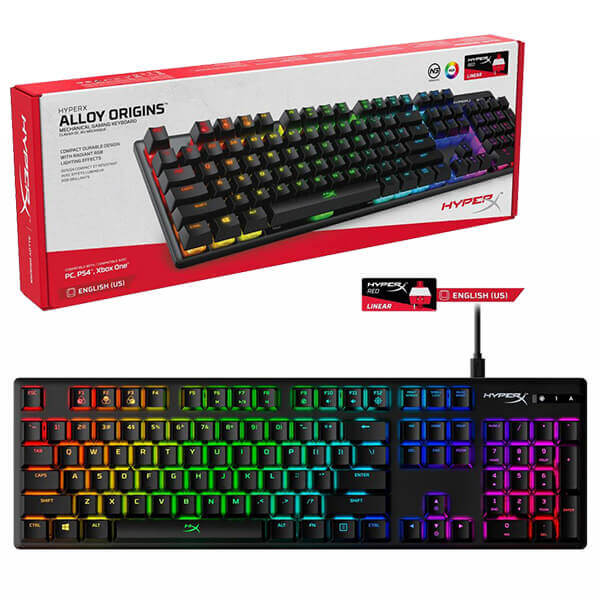
HyperX Alloy Origins Mechanical Gaming Keyboard
A top-seller for good reason: it’s got durable mechanical switches rated for 80 million keystrokes, a sturdy aircraft-grade aluminum body (so it doesn’t wobble or flex even under heavy typing/gaming), and a compact layout that gives you more desk room for mouse movement. Great all-around choice if you want quality and reliability without overspending.
Razer BlackWidow V4 75% Mechanical Gaming Keyboard
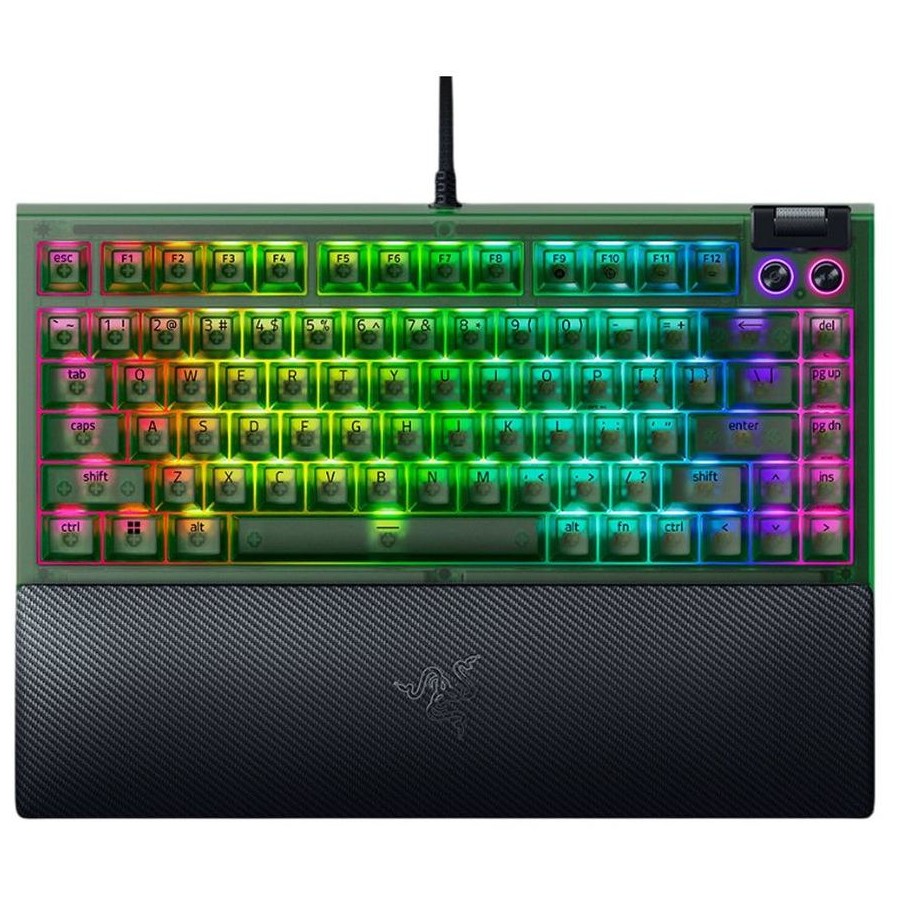
Long-time favorite among gamers. Known for snappy, responsive keys and programmable macro keys, fast response times, satisfying mechanical feedback, and solid build quality. Good if you want something that performs under sustained heavy use.
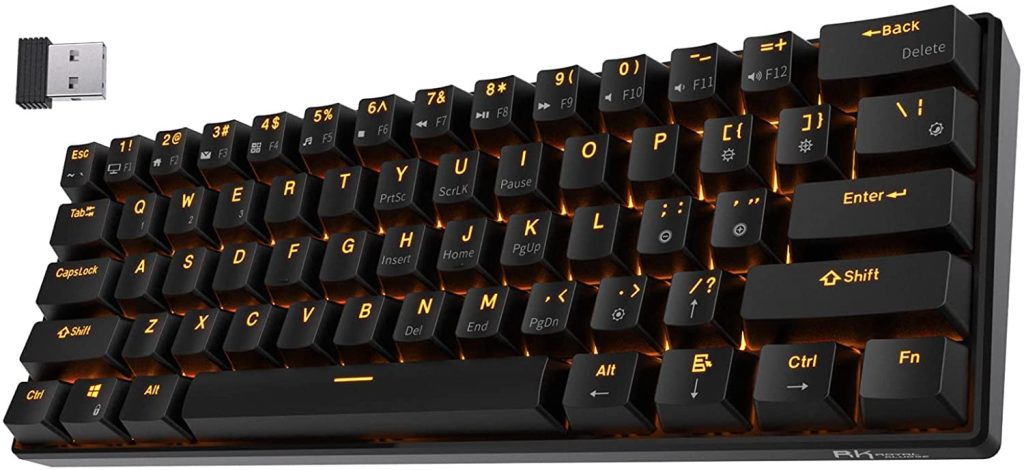
RK Royal Kludge RK61 60% Mechanical Gaming Keyboard
A compact, budget-friendly keyboard that’s extremely popular with gamers and typists who prefer a minimalist desk setup or need portability. Its 60% layout removes the numpad, shrinking the footprint and is ideal for small workspaces or on-the-go setups.
Glorious GMMK 3 Custom Mechanical Keyboard
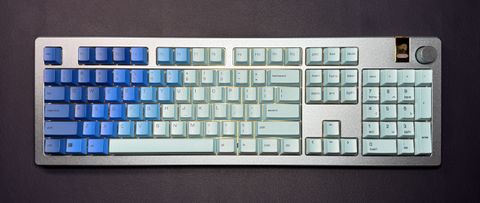
Loved among keyboard enthusiasts for customization and build quality. It supports hot-swappable 3-pin and 5-pin switches, letting users easily swap out switches without soldering, perfect if you like to tinker or tailor the feel of your keyboard. Also has quality keycaps and sound dampening.
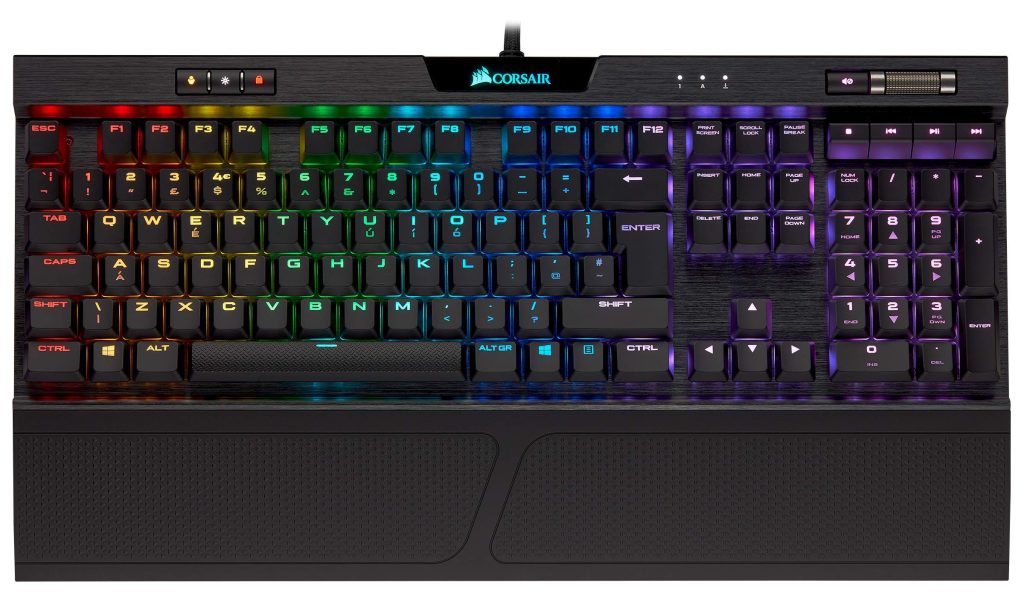
Corsair K70 RGB Mechanical Gaming Keyboard
A premium keyboard with a solid aluminum frame and classic CHERRY MX switches, delivering a high-end typing and gaming experience. Long-lasting, responsive, with per-key RGB lighting is ideal for users who want a durable “set-and-forget” keyboard that performs reliably for years.
Turtle Beach Vulcan II Mechanical Keyboard
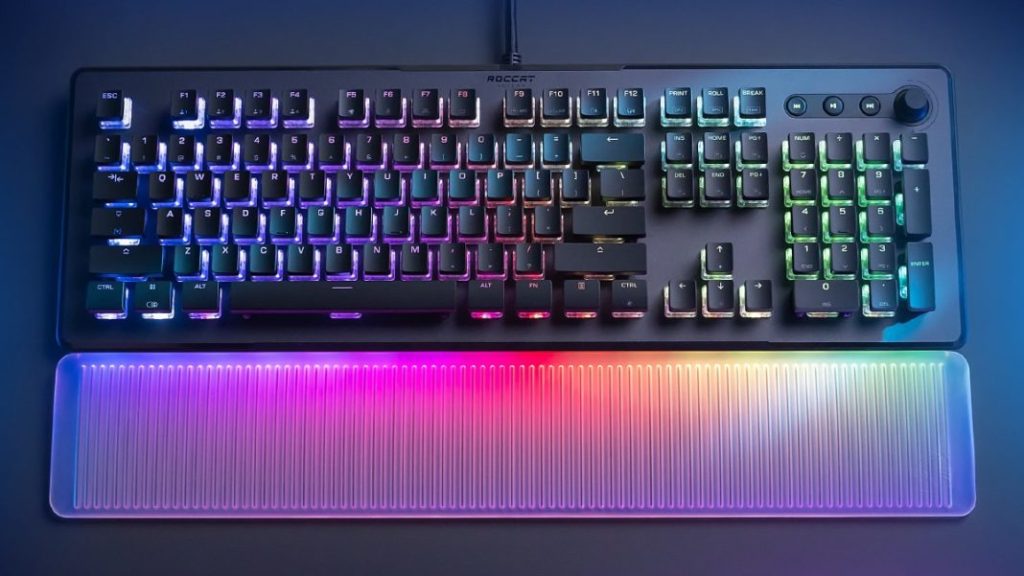
Known for smooth linear switches (great for fast typing/gaming), a durable aluminum backplate, and high keystroke durability (100M keystrokes). A robust option if you want a strong performance keyboard that balances speed, durability, and key feel.
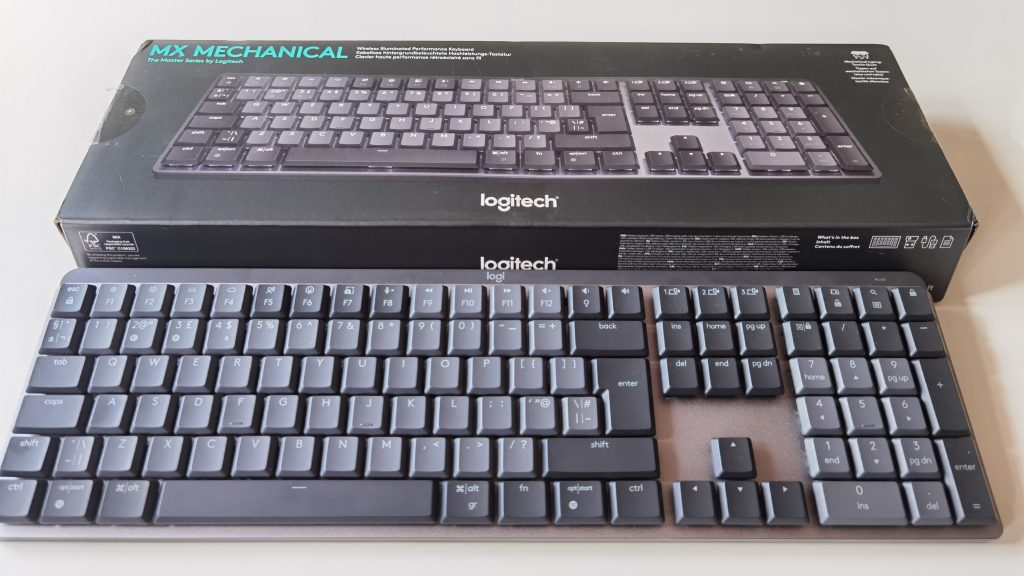
Logitech MX Mechanical Wireless Keyboard
A mechanical keyboard aimed more at productivity or mixed-use (work + casual) rather than heavy gaming. Its quiet mechanical keys, adjustable backlighting, and multi-device connectivity make it a nice fit if you switch between workstations or platforms. Good for work-from-home, coding, writing, or long typing sessions.
Epomaker TH99 Mechanical Gaming Keyboard
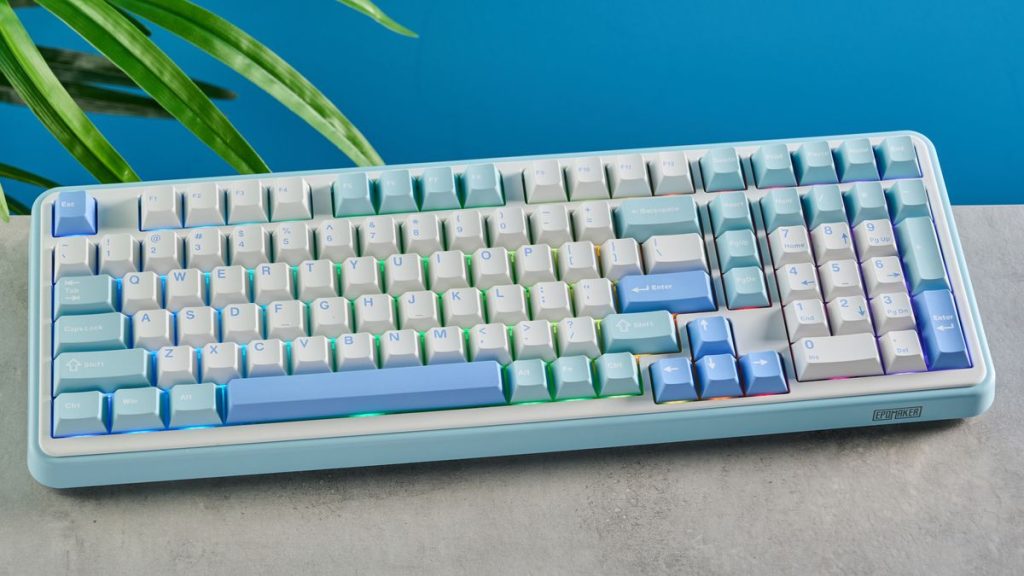
A mid-range, customizable keyboard with solid performance and value. Often favored by people who want decent mechanical performance without the premium price tag. A good balance between cost, build quality, and typing feel.
The Ergonomic Benefits: Saving Your Wrists One Keystroke at a Time
When you type on a standard membrane keyboard, the abrupt stop at the bottom of the keypress sends a shockwave of impact back up through your fingers, tendons, and wrists. Over months and years, this repetitive trauma can contribute to conditions like tendonitis or carpal tunnel syndrome. Because mechanical switches actuate halfway down, you quickly learn to type with a lighter touch. Your fingers get the feedback they need without needing to crash into the baseplate, saving your joints from unnecessary wear and tear.
We all have different hand sizes, finger strengths, and typing habits. Why should we all use the exact same stiff keyboard? Mechanical keyboards offer incredible layout and physical customizability. You can choose full-sized layouts, compact designs that bring your mouse closer to your body to prevent shoulder strain, or even split ergonomic frames that allow your hands to rest at a natural, un-twisted angle.
The Golden Trio: Major Pros of Switching to a Mechanical Keyboard
If you are considering making the leap, here are three undeniable advantages you will notice almost immediately:
- Significant Ergonomic Comfort: The reduced actuation force and spring-loaded feedback drastically decrease hand fatigue and minimize long-term repetitive strain injuries.
- Enhanced Typing Accuracy and Speed: The distinct physical and audible feedback tells your brain exactly when a letter has registered, which naturally lowers your error rates and speeds up your typing flow.
- Incredible Durability and Value: While standard keyboards wear out after a few million clicks, high-quality mechanical switches are rated for 50 million to 100 million keystrokes, meaning your investment will last for a decade or more.
The Hidden Toll: Cons of Sticking with a Standard Membrane Keyboard
On the flip side, refusing to upgrade your primary input tool comes with some real, hidden drawbacks:
- Higher Risk of Chronic Hand and Wrist Pain: Forcing your joints to absorb the impact of thousands of fully bottomed-out keystrokes daily heavily accelerates physical fatigue and strain.
- Inconsistent and Sluggish Performance: As the rubber dome sheet inside cheap keyboards degrades over time, the keys become unevenly stiff, sticky, and frustratingly unresponsive.
- Frequent Replacements and Electronic Waste: Cheap plastic keyboards are built to be disposable, meaning you will end up throwing them out and buying new ones every couple of years, adding to landfills
Choosing Your Flavor: The Switch Spectrum Explained
When you decide to pick out a mechanical keyboard, you will find yourself choosing between three main categories of switches. Think of these like choosing the suspension system on a luxury car, each offers a radically unique feel.
Linear Switches: Smooth as Silk
Linear switches (often color-coded as Red switches) offer a completely smooth, uninterrupted travel from the top of the press all the way to the bottom. There is no bump or click in the middle. Gamers love these because they are incredibly fast and consistent, but many office workers enjoy them too because they allow for a very quiet, fluid typing rhythm.
Tactile Switches: The Sweet Spot for Writers
Tactile switches (usually Brown switches) feature a gentle, physical “bump” right at the exact moment the key registers. This bump acts as a physical green light for your brain, confirming the letter is on the screen so you can immediately move to the next key. For home office professionals, this is often the absolute sweet spot for comfort and speed.
Clicky Switches: Musical but Loud
Clicky switches (typically Blue switches) combine the physical bump of a tactile switch with a sharp, crisp “click” sound. They offer immense typing satisfaction and feel remarkably like an old-school typewriter. However, a word of caution: if you share your home office with a spouse or frequently take Zoom calls, the gunfire-like sound of clicky switches might test your family’s patience!
Boosting Productivity and Typing Speed
Isn’t it fascinating how physical comfort translates directly into mental efficiency? When your hands aren’t aching, you stay in the productive “flow state” much longer. Because of the distinct feedback loop provided by mechanical keys, your muscle memory locks in faster. You will find yourself making fewer typos, backspacing less often, and watching your words-per-minute metric steadily climb. It turns typing from a mundane chore into an engaging, tactile experience.
Let’s talk economics. A good mechanical keyboard will cost more upfront than a cheap plastic membrane board. However, it is an investment that pays dividends over time. Because the parts are modular, if a single switch breaks or a keycap wears down, you don’t throw the whole keyboard away, you simply pop out that one part and replace it. It is a robust piece of machinery built to accompany you through multiple computer upgrades.
Conclusion: Elevate Your Desktop Experience
At the end of the day, your home office should be a sanctuary of health and productivity, not a source of physical strain. Upgrading to a mechanical keyboard is one of the easiest, most impactful changes you can make to improve your daily ergonomic health. By easing the pressure on your joints, providing customized feedback, and offering a durable typing platform, a mechanical keyboard transforms the way you work. Do your hands a favor: ditch the mushy membrane, find the physical switches that match your style, and experience the pure joy of typing the way it was always meant to be.
FAQs
Q1: Are mechanical keyboards too loud for a quiet home office or video meetings? A: Not necessarily! While “clicky” Blue switches are intentionally loud, you can opt for “linear” Red or “tactile” Brown switches, which are very quiet. You can also install small silicone O-rings under the keycaps to dampen the sound even further so you don’t disrupt your online meetings.
Q2: How long does it take to get used to a mechanical keyboard if I’ve only used laptops? A: Because laptop keys have very short travel distances, moving to a mechanical keyboard will feel different at first. Most people adapt within three to five days. Once your muscle memory adjusts to the deeper, springier movement, you will likely find it much more comfortable.
Q3: Can a mechanical keyboard actually cure my existing carpal tunnel syndrome? A: No keyboard can medically cure a chronic condition. However, a mechanical keyboard can significantly reduce the daily joint irritation and muscle strain that worsen carpal tunnel symptoms by preventing you from forcefully bottoming out on every keystroke.
Q4: What size mechanical keyboard layout is best for office ergonomics? A: For optimal ergonomics, a compact layout (like a “Tenkeyless” or 75% board, which omits the right-side number pad) is highly recommended. This allows you to place your mouse closer to your body, keeping your shoulders relaxed and preventing strain from over-reaching.
Q5: Is it difficult to clean and maintain a mechanical keyboard? A: It is incredibly easy! Unlike membrane keyboards, you can easily pop off individual keycaps using a simple tool. This allows you to clear away dust, crumbs, and hair from the baseplate, keeping your keyboard clean, hygienic, and working perfectly for years.