The Art of the Ergonomic Compact Home Office

*Purchases made through our links may earn us a commission. Please view our disclosure to learn more.
Why Ergonomics Matters for a Compact Home Office –
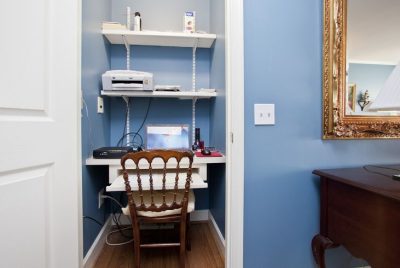
To be honest, most of us aren’t working from sprawling executive suites. We’re working from “cloffices” (closet-offices), guest room corners, or repurposed hallways. I spent the first six months of my remote career hunched over a laptop on a bistro chair, wondering why my lower back felt like it was being poked with a hot skewer. That was my wake-up call. Ergonomics isn’t just a buzzword for corporate HR; it’s the science of making your workspace fit you, rather than forcing your body to fit the furniture.
Pros and Cons of an Ergonomic Setup
Pros
- Skyrocketing Productivity: It’s hard to focus on a spreadsheet when your neck is throbbing. Comfort equals concentration.
- Long-Term Health Savings: You are trading a few hundred dollars in equipment now for thousands of dollars in physical therapy later.
- Improved Mood: Chronic physical discomfort leads to irritability. A comfortable body supports a happy mind.
Cons
- Increased Fatigue: Poor posture forces your muscles to work harder just to keep you upright, leaving you exhausted by 3 PM.
- Risk of Permanent Injury: Conditions like RSI (Repetitive Strain Injury) can become chronic if the root cause isn’t addressed.
- Reduced Career Longevity: If you can’t sit at a computer without pain, your ability to work effectively is compromised.
Why Your Small Space Needs an Ergonomic Upgrade
When you have limited square footage, every inch counts. But more importantly, every movement counts. In a compact office, you are often more “locked-in” to one position. Without the right setup, you aren’t just cramped; you’re causing micro-trauma to your musculoskeletal system. Think of your body like a high-performance vehicle. If the alignment is off, the tires wear out faster. In humans, that “wear” manifests as Carpal Tunnel Syndrome, tension headaches, and chronic back pain. By optimizing a small space, you’re essentially performing preventative maintenance on yourself.
The article, Here’s How to Set Up an Ergonomic Home Office to Avoid Aches & Pains, written by the Cleveland Clinic brings this more into focus. And for the minimalist or person working from a compact home office, the negative outcome is all the more.
(Click here for a list of helpful books on Home Office Ergonomics)
The Foundation: Selecting the Right Compact Desk
Choosing the right desk for your compact office might seem difficult, but you just need a smart desk choice and there are plenty of options out there to choose from. From wall-mounted and foldable desks to corner desks. Which one is best for you depends on the space you have to work with.
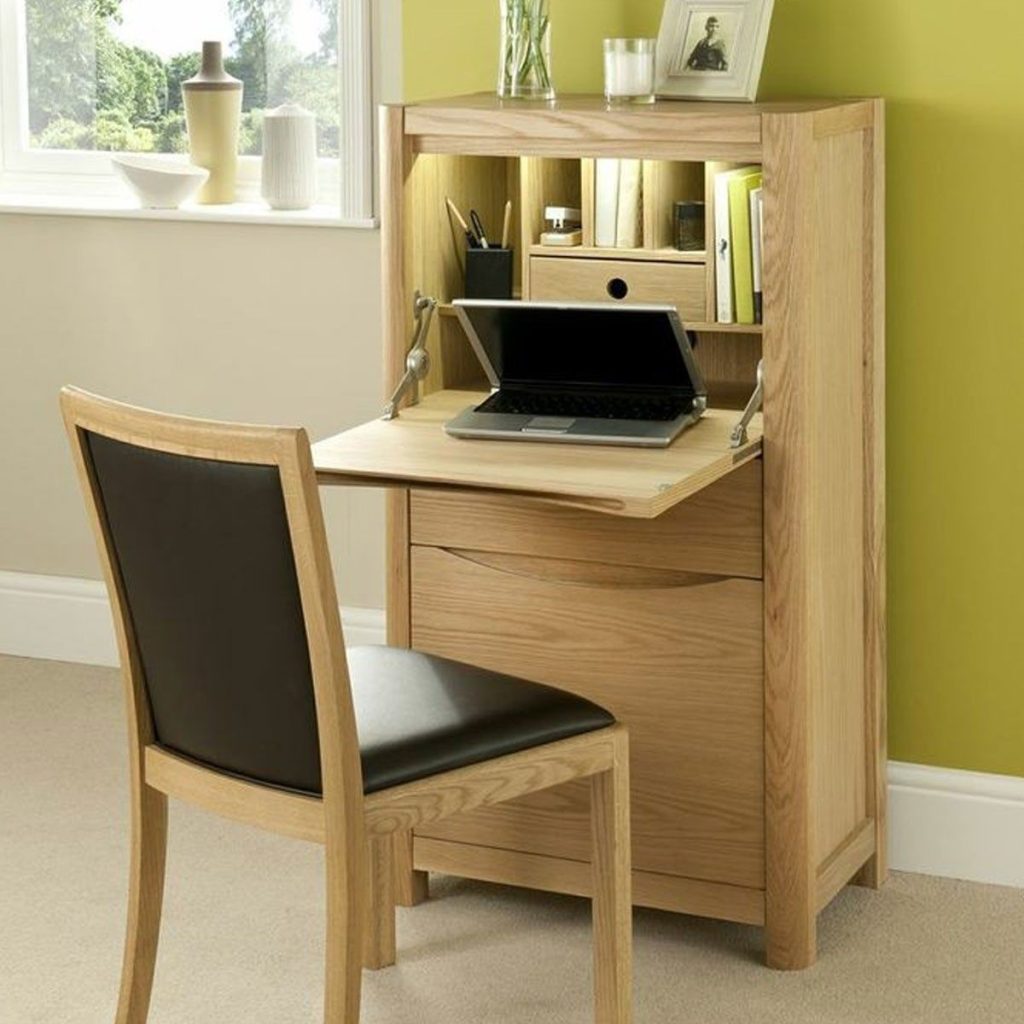
Wall-Mounted and Foldable vs. Corner Desks: Which Wins?
I’m a huge fan of “floating” or wall-mounted desks and foldable desks for tiny rooms. Why? Because they keep the floor clear, which creates a psychological sense of space. However, if you have a dead corner, an L-shaped corner desk can provide significantly more surface area for your elbows to rest, a key ergonomic win
The Magic of the Standing Desk Converter
If you can’t fit a full sit-stand desk, a Desk Converter is your best friend. It sits right on top of your existing surface. I use one because it allows me to alternate between sitting and standing every 30 minutes. Movement is medicine, and in a small room, it’s the easiest way to keep your blood flowing.
The Throne: Choosing a Chair for Tight Quarters
Your chair is the foundation for good ergonomics and comfort, and never, and I mean never, skimp on the chair. You might be tempted to use a cute wooden dining chair to match your decor, but your spine will pay the price. You need a chair that hugs the natural “S” curve of your spine. Look for “small-profile” ergonomic chairs. You want armrests that allow your shoulders to remain relaxed. If your armrests are too high, your shoulders will shrug, leading to those nasty knots in your upper back.
Here’s some good guidelines to follow:
- Feet flat on the floor
- Knees at 90 degrees
- Elbows at desk height
- Lumbar Support and Armrest Adjustability
Adjustability is key, especially with your compact office where desk height might not be ideal.
Screen Mastery: Eye Level is the Only Level
People working from their compact home office tend to push monitors wherever they happen to fit, this is counterproductive. The top of your screen should be at or slightly below eye level. The monitor should sit about arm’s length away.
If you are looking down at a laptop screen right now, stop. Your head weighs about 10-12 pounds. When you tilt it forward 45 degrees to look at a screen, the effective weight on your neck jumps to nearly 50 pounds. To alleviate this, I would recommend a clamp-on monitor arm. It lifts your screen to eye level (where the top third of the monitor is at or slightly below eye height) and frees up the desk space underneath for your notebook or coffee.
More space. Better posture. A better day at the home office.
The Peripheral Pivot: Keyboards and Mice
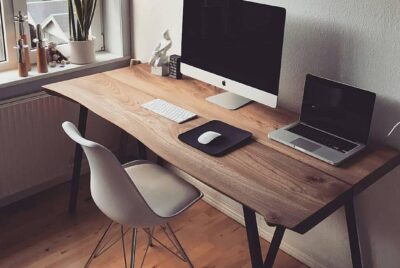
Laptops are ergonomic disasters because the keyboard and screen are joined. To fix this in a small space, you need external peripherals. I started using a split keyboard a year ago, and my wrist pain vanished. It allows your hands to rest at shoulder width, preventing “ulnar deviation” (that awkward inward bending of the wrists). Pair this with a vertical mouse, which keeps your forearm in a neutral “handshake” position, and you’ve just eliminated 90% of your repetitive strain risks.
Lighting and Vision: Reducing Digital Eye Strain
Bad lighting is a productivity killer, as we all know, and we often forget that eyes have muscles too . If you can, utilize natural lighting whenever possible by positioning your desk near a window. Natural light will help boost your mood and reduce eye strain. Plus, it comes with the added benefit of a view outside of your dwelling and allowing your eyes to relax for a few minutes.
On the other hand, if there isn’t enough natural sunlight or you can’t get near a window, then using a good quality adjustable LED desk lamp or “monitor light bar” will be your next best thing. But remember to allow yourself some time to go upside for some fresh air and to have some natural sunlight. Your mood and eyes will thank you for it.
Cable Management and Clutter Control
Clutter can shrink a small desk even more and the less cables from your keyboard and mouse, the better. So cordless keyboards and mice play a key here. But if not, then good cable management is needed. If you’re using a laptop computer, then a docking station is a must as well as under/behind desk cable nets. Cordless keyboards and mice will free up a lot of room on your desk, while a docking station allows you to expand your laptops’ display and peripheral capabilities while still managing all the cables.
The fewer distractions on your compact home office, the clearer your thinking becomes. Your workspace should feel calm and inviting, not like a chaotic junk drawer.
Vertical Organization: Thinking Up, Not Out
In a compact office, the walls are your friends. Use pegboards or floating shelves to keep your desk clutter-free. A cluttered desk leads to a cluttered mind, and in a small space, clutter feels twice as overwhelming. Keep your “tools”—pens, hard drives, chargers—within easy reach to avoid awkward overextending.
At times I have ignored the “Think Up, Not Out” mantra, and made use of a simple rolling desk organizer with just a few drawers. This has been of great benefit at times when it came to storing folders, binders or notebooks, and any other office supplies I may have needed. Plus, you can roll it back under or to the side of your desk at the end of workday.
The Conclusion: Your Body Will Thank You
Creating an ergonomic compact home office isn’t about spending a fortune; it’s about making smarter choices with the space you have. By elevating your screen, supporting your spine, and choosing peripherals that respect your anatomy, you transform a cramped corner into a sanctuary of efficiency. Remember, you only get one body—treat it like the valuable asset it is.
FAQs
- I have zero budget; what is the one thing I should change first?
Elevate your laptop. Even if you just use a stack of sturdy books to get that screen to eye level and plug in a cheap external keyboard, you’ll see an immediate improvement in neck strain.
- How much space do I actually need for an ergonomic chair?
You need roughly a 30×30 inch area for the chair to move freely. Look for “armless” ergonomic models or those with “flip-up” arms if you need to tuck the chair fully under the desk when not in use.
- Is a standing desk really necessary for a small office?
Not strictly “necessary,” but highly recommended. If a desk is too big, try a “laptop wall desk” that allows you to stand while working and folds flat against the wall when you’re done.
- What is the “20-20-20 rule” for eye strain?
Every 20 minutes, look at something 20 feet away for at least 20 seconds. This helps the tiny muscles in your eyes relax after staring at a close-up screen.
- How do I know if my chair height is correct?
Your feet should be flat on the floor, and your knees should be at a 90-degree angle, slightly lower than your hips. If your desk is too high and your feet dangle, use a footrest (or a sturdy box!).