The Ultimate Guide to an Ergonomic Home Office for the Minimalist
*Purchases made through our links may earn us a commission. Please view our disclosure to learn more.
Have you ever stared at a messy, chaotic desk and felt your stress levels instantly spike? If so, then welcome to your new favorite workspace philosophy: minimalist ergonomics. As a dedicated advisor in home office wellness, I’ve spent years tweaking, adjusting, and decluttering to find the perfect balance. Think of your workspace as the cockpit of a jet. You only want the essential controls in front of you, and every single one of them needs to be perfectly tuned to your body. Today, I am going to walk you through exactly how to create an ergonomic home office that satisfies your inner minimalist while keeping your spine happy and your productivity soaring. Let’s dive in!
Why I Swear by Minimalist Ergonomics
When I first started working from home, my desk looked like a tech explosion. Wires were everywhere, bulky ergonomic accessories crowded my space, and I felt suffocated. I thought that to be “ergonomic,” I needed massive, orthopedic-looking equipment that ruined the aesthetic of my home. I was wrong. Minimalist ergonomics is about intention. It is the practice of stripping away the unnecessary so that what remains can perform at its absolute best.
You do not have to choose between a beautiful room and a pain-free back. True minimalist design is inherently ergonomic because it prioritizes function. By carefully selecting pieces that serve a specific purpose without adding visual noise, you create a space that breathes. A clean aesthetic reduces cognitive load, while ergonomic design reduces physical load. It is a match made in productivity heaven.
For more information on minimalist ideas, click on the following:
Crafting the Best Ergonomic Setup for Small Apartments
Core Principles of an Ergonomic Minimalist Setup
Before we start buying new desks or throwing away old chairs, we need to understand the ground rules. Building this space requires a shift in mindset. You are no longer just filling a room; you are curating an environment.
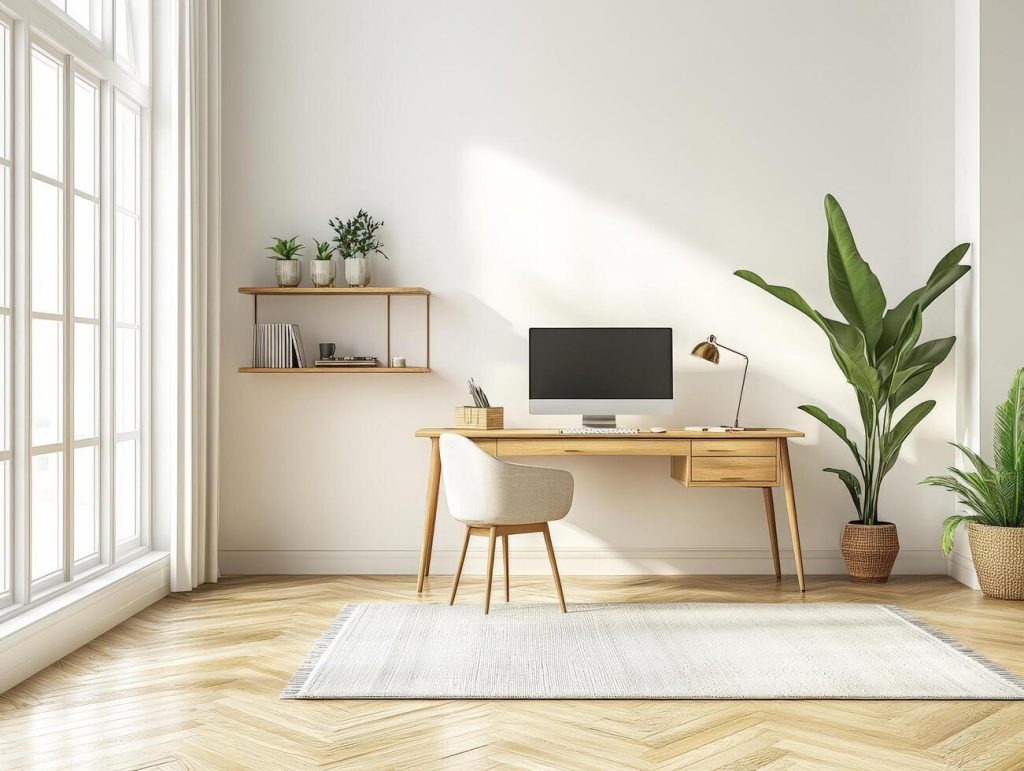
A cluttered desk is like having 100 tabs open in your brain. It drains your mental battery. The first principle is simple: if it doesn’t serve a daily functional or strictly inspirational purpose, remove it. Keep your desktop bare except for your keyboard, mouse, and monitor. This physical emptiness translates directly into mental clarity, allowing you to tackle your daily tasks with laser-sharp focus.
Quality over quantity is the minimalist’s mantra. Instead of buying five cheap desk accessories, invest that budget into one phenomenal piece of core furniture. In the ergonomic world, your body is the most valuable asset you have. Treat it like one by investing in foundational pieces that will support you for years to come.
(Click here for a list of helpful books on Home Office Ergonomics)
Incorporating Nature and Mindful Work Habits
Introducing indoor plants brings a touch of nature, enhancing air quality and reducing stress levels. Minimalist ways to incorporate greenery add vibrancy to the workspace. Taking breaks and practicing mindfulness amidst work hours contribute to overall well-being. Incorporating these habits into a minimalist workspace fosters a healthy work-life balance. DIY ergonomic solutions and affordable minimalist ergonomic brands make it accessible to create a comfortable workspace without breaking the bank.
Essential Furniture for Your Minimalist Workspace
So, what do you actually need? Surprisingly little. But the items you do choose must pull their weight. Let’s break down the non-negotiables. Think of your chair as the foundation of a house. If the foundation is cracked, the whole structure suffers. I cannot stress enough how vital a good chair is. You might be tempted by those rigid, ultra-modern dining chairs that look gorgeous on Pinterest. Don’t do it. Your lumbar spine will never forgive you.

What to Look for in a Minimalist Chair
You want a chair that blends into the room but supports your body’s natural curves. Look for breathable mesh backs, slim profiles, and neutral colors (like matte black, slate gray, or warm white). Essential adjustments include seat height, armrest height, and dynamic lumbar support. Brands are now producing incredibly sleek chairs that hide their mechanical adjustments within clean, modern lines.
The Anchor: A Sleek Sit-Stand Desk
We are not meant to sit for eight hours straight. A sit-stand desk is your anchor. For the minimalist, I highly recommend a desk with built-in cable management. A beautiful solid wood or matte-finished top with motorized dual-motors is ideal. It allows you to transition seamlessly from sitting to standing without interrupting your workflow, keeping your blood pumping and your energy high.
Perfecting Your Posture Without the Bulky Gear
You have the furniture; now you need the posture. You don’t need a myriad of straps or braces to sit up straight, you just need geometry and mindfulness.
Remember the golden rule of seated ergonomics we talked about in other posts? When sitting, your elbows should be bent at a 90-degree angle resting on the armrests or desk. Your hips should be at a 90-degree angle, and your knees should be at a 90-degree angle with your feet flat on the floor. If you follow this simple mathematical formula, your body falls into a natural, unstrained alignment. Trust me, it works!
If you are using a laptop, refer to my LAPTOP SURVIVAL GUIDE. Your screen should be at eye level. Looking down causes “tech neck,” adding up to 50 pounds of pressure on your cervical spine. This also applies if you’re using a desktop as well!
If you work exclusively on a laptop, a sleek, foldable aluminum laptop stand, like the Uncaged Ergonomics WorkEZ, paired with an external keyboard is a great minimalist choice. However, if you use an external monitor, I highly recommend a pneumatic monitor arm. It clamps to the back of your desk, freeing up the desk surface entirely, and allows you to float your screen to the exact perfect height. It looks like magic and feels even better. Read and learn more here at my post:
The Highs and Lows: Why Correct Monitor Height is the Secret to Workday Longevity
Every system has its trade-offs. Let’s look at the reality of adopting—or ignoring—this approach to your home office.
Here are 3 Pros of creating an ergonomic minimalist home office:
- Eradication of Chronic Pain: Proper alignment prevents the lower back ache and neck strain that plague remote workers.
- Skyrocketed Productivity: A clutter-free zone paired with physical comfort allows for longer, uninterrupted states of deep work.
- Aesthetic Superiority: Your workspace becomes a calming, visually appealing part of your home rather than a chaotic eyesore.
Here are 3 Cons for NOT doing this (ignoring ergonomics and minimalism):
- Severe Physical Deterioration: Long-term poor posture can lead to Repetitive Strain Injuries (RSI), sciatica, and permanent spinal issues.
- Increased Mental Fatigue: Visual clutter constantly fights for your brain’s attention, leaving you exhausted by midday.
- Financial Drain from Replacements: Buying cheap, unsupportive chairs and desks means you will constantly be replacing broken or uncomfortable furniture, costing more in the long run.
Accessories You Actually Need (And Nothing More)
Minimalism isn’t about having nothing; it’s about having exactly what you need. When it comes to accessories, you have to be ruthless.
Ditch the flat, un-ergonomic mice that force your hand into a claw. Instead, opt for a VERTICAL MOUSE. They look incredibly modern and keep your wrist in a neutral “handshake” position, preventing carpal tunnel. Pair this with a low-profile MECHANICAL KEYBOARD or a SPLIT ERGONOMIC KEYBOARD that matches your desk’s color palette.
And remember to follow the 20-20-20 rule religiously, and I can’t stress this enough. Every 20 minutes, look at something 20 feet away for 20 seconds to prevent eye strain. Furthermore, alternate between sitting and standing every 45 minutes. You don’t need to use a timer; just listen to my body. When you start to feel stagnant, press the button on your desk and stand up. Keep a sleek, reusable water bottle on your desk to ensure you stay hydrated, which keeps your intervertebral discs plump and happy.
Conclusion
Building an ergonomic home office for the minimalist is an incredibly rewarding journey. It is about respecting your body enough to give it the support it needs, and respecting your mind enough to give it a clean, uncluttered space to create. You don’t need a room full of bulky medical-grade equipment to work comfortably. By focusing on essential, high-quality pieces—like a sleek sit-stand desk, an adjustable chair, and a monitor arm—you can master your environment. Remember, your workspace should serve you, not the other way around. Start small, clear off that desk, elevate your screen, and watch as your productivity, health, and happiness transform.
FAQs
- Can a minimalist chair actually be ergonomic? Absolutely. Many high-end chair manufacturers now focus on “”hidden ergonomics,”” where the lumbar support, tilt mechanisms, and breathable materials are integrated seamlessly into a sleek, minimalist silhouette. You don’t need a bulky chair for proper support.
- Is it better to sit or stand all day? Neither! The human body is designed for movement. The best approach is alternating between sitting and standing. I recommend changing your posture every 45 to 60 minutes to prevent fatigue and keep blood circulating.
- How can I manage cables to maintain a minimalist look? Cable management is crucial for the minimalist aesthetic. Mount a cable tray under your desk, use zip ties or velcro straps to bundle wires together, and run a single power strip from the desk leg to the wall outlet. Out of sight, out of mind.
- Do I really need an external keyboard if I use a laptop stand? Yes. If you raise your laptop to eye level to protect your neck, reaching up to type on the laptop’s keyboard will destroy your wrists and shoulders. Always use an external keyboard and mouse when elevating a laptop.
- What is the most important ergonomic upgrade for a tight budget? If you can only afford one thing, make it your chair. A good chair provides the core support for your spine, hips, and shoulders. You can always use books to elevate a monitor, but you cannot fake good lumbar support.