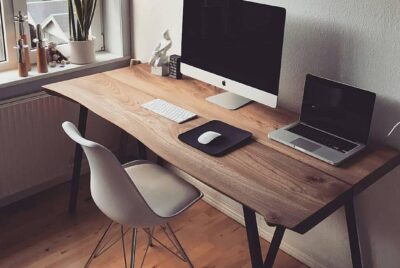
Crafting the Best Ergonomic Setup for Small Apartments
*Purchases made through our links may earn us a commission. Please view our disclosure to learn more.
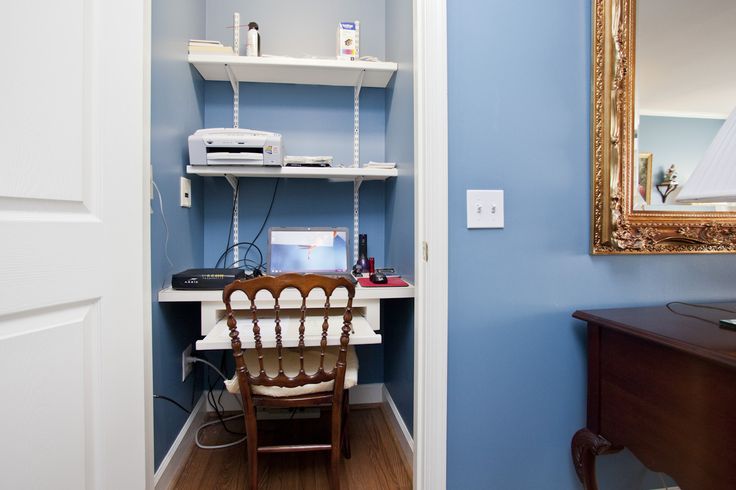
Crafting the best ergonomic office setup is key to your success; living in a tiny apartment shouldn’t mean sacrificing your ergonomic health. I remember my time spent navigating the “closet-office” lifestyle, and I found that you don’t need a sprawling executive suite to be comfortable. It’s all about working smarter with the limited space you have.
Why Your Studio Doesn’t Have to Be a Back-Ache Factory
Have you ever had that claustrophobic feeling, as if your apartment was closing in on you while you hunched over a laptop at the kitchen counter? I remember that feeling. For the longest time, I believed that a “real” ergonomic setup required a dedicated room with a full sized office desk, but that’s not true. The best ergonomic setup for small apartments isn’t about the volume of the furniture; it’s about the precision of the placement. We aren’t just decorating; we’re thinking compact minimalism for comfort and productivity. Think of your workspace like your grandfathers old, but still working mechanical watch, every component has to fit perfectly because there is no room for waste.
The Core Philosophy: Ergonomics Meets Square Footage
Ergonomics is fundamentally the study of people’s efficiency in their working and living environments. In a small apartment, your environment is a premium commodity. So your goal here is “invisible ergonomics”, a setup meant to be so efficient it disappears when you aren’t using it, yet supports your body perfectly when you are. Have you considered that your workspace might actually be a wall-mounted shelf? Or that your chair could be a stylish stool that tucks under a side table?
We are living through a shift where the “cloffice” (closet-office) and the “nook-space” are becoming standard. You don’t need a 5-piece furniture set. You need a zone. By defining a specific area for work, even if it’s just 30 inches wide, you can create a psychological boundary. This boundary is vital for your mental health as much as the chair is for your physical wellbeing.
For more information on minimalist ideas, click on the following:
The Ultimate Guide to an Ergonomic Home Office for the Minimalist
Selecting the Foundation: The Space-Saving Desk
The desk is the anchor of your setup. In a small apartment, a traditional four-legged behemoth is your enemy. It creates “dead space” underneath that is hard to clean and visually heavy.
Wall-Mounted vs. Compact Standing Desks
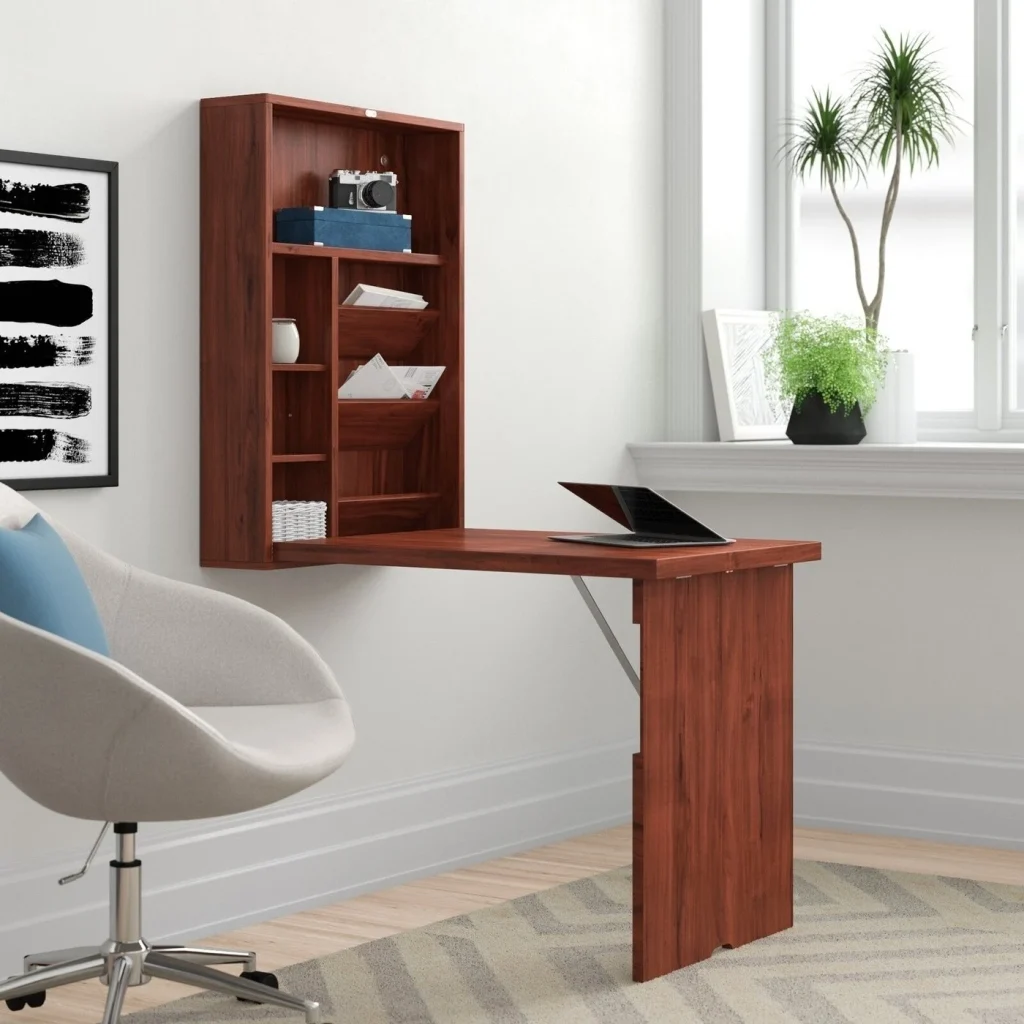
I’m a huge advocate for Wall-Mounted “floating” desks because they leave the floor clear. When the floor is visible, the room feels larger. It’s a visual trick that prevents the apartment from feeling cluttered. However, if you prefer to stand, look for a “pneumatic” single-column standing desk. These have a much smaller footprint than the dual-motor giants but still offer the height adjustability your spine craves.
Why the “Ladder Desk” is a Small Space Hero
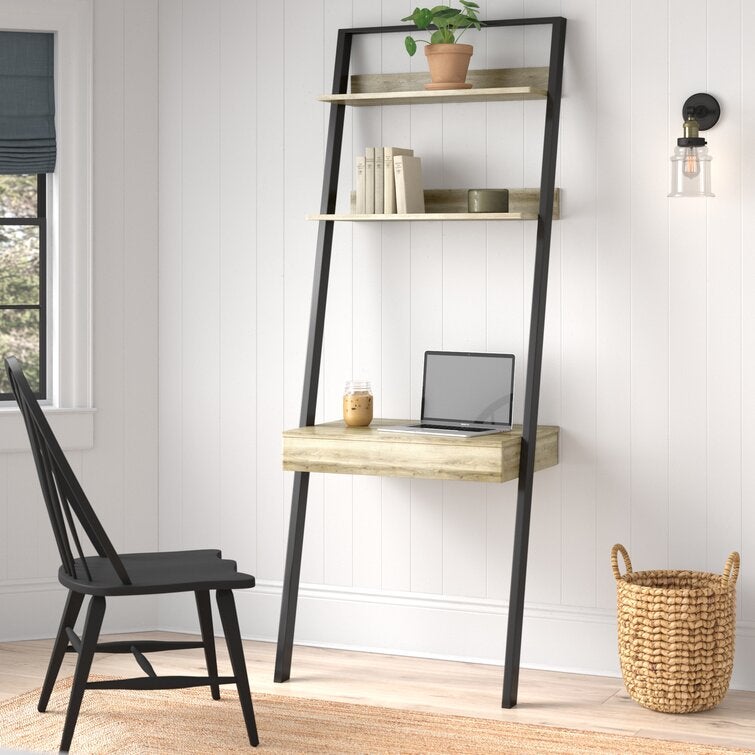
Ladder Desks use vertical space, the most underutilized resource in tiny homes. They lean against the wall, providing a workspace at the bottom and shelving for your peripherals at the top. It’s like a skyscraper for your laptop.
Some Wall Mounted and Ladder Desks to concider
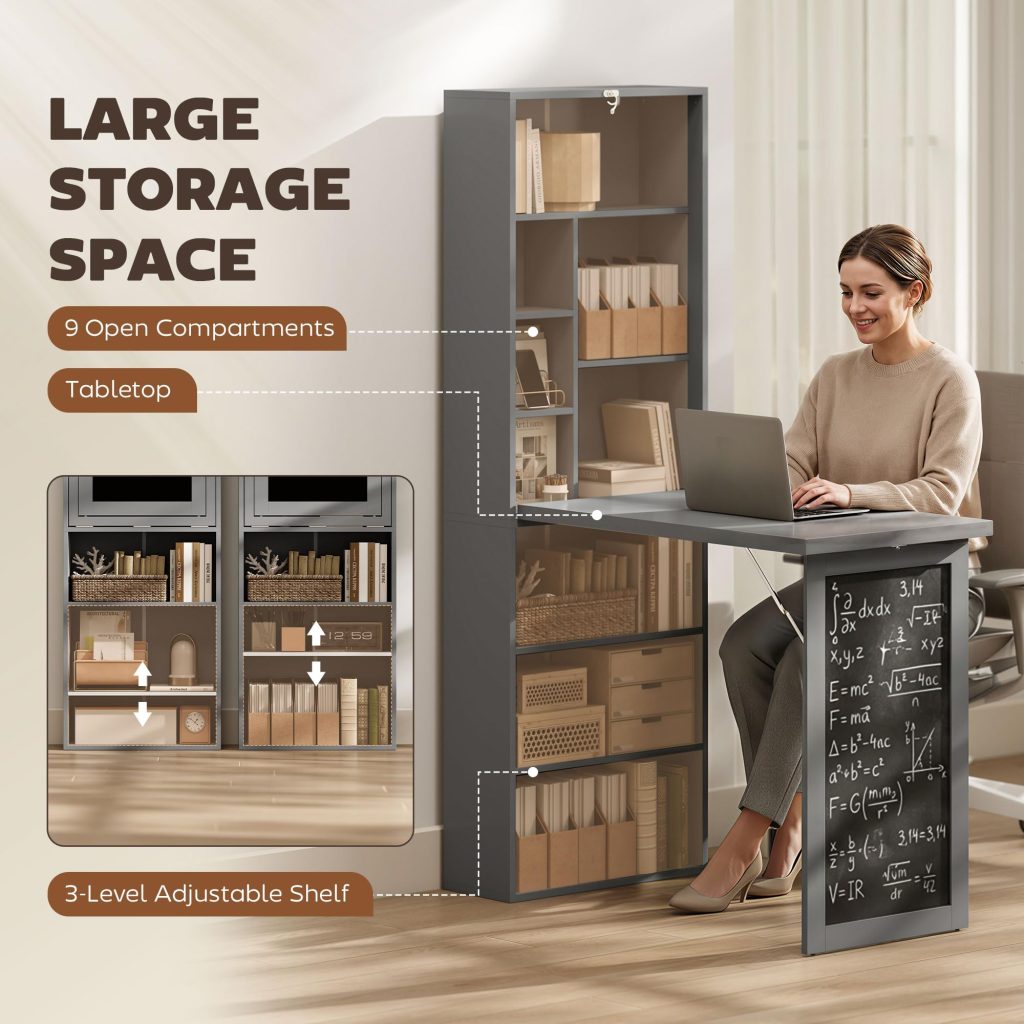
HOMCOM Foldable Convertible Writing Table
A space saving, folding compact desk that is perfect for Minimalists and Laptop users. Easily folds up, and the chalk board can be used for your daily “To Do” list or for whatever creativity comes to mind. Highly recommended!
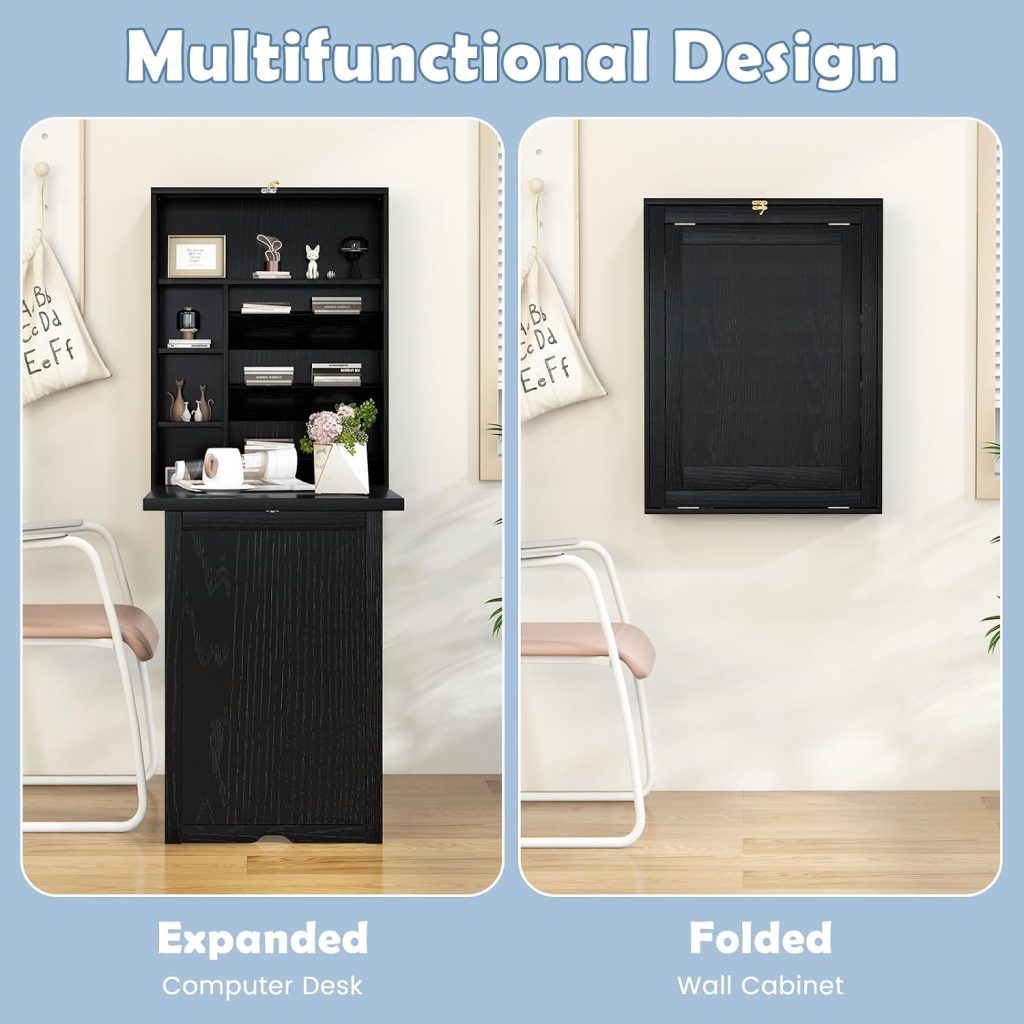
Tangkula Folding Wall Mounted Desk
A more affordable wall mounted system that many find suites the need of the Minimalist that lives in a permanent dwelling. A simple and efficient uses of floor space.
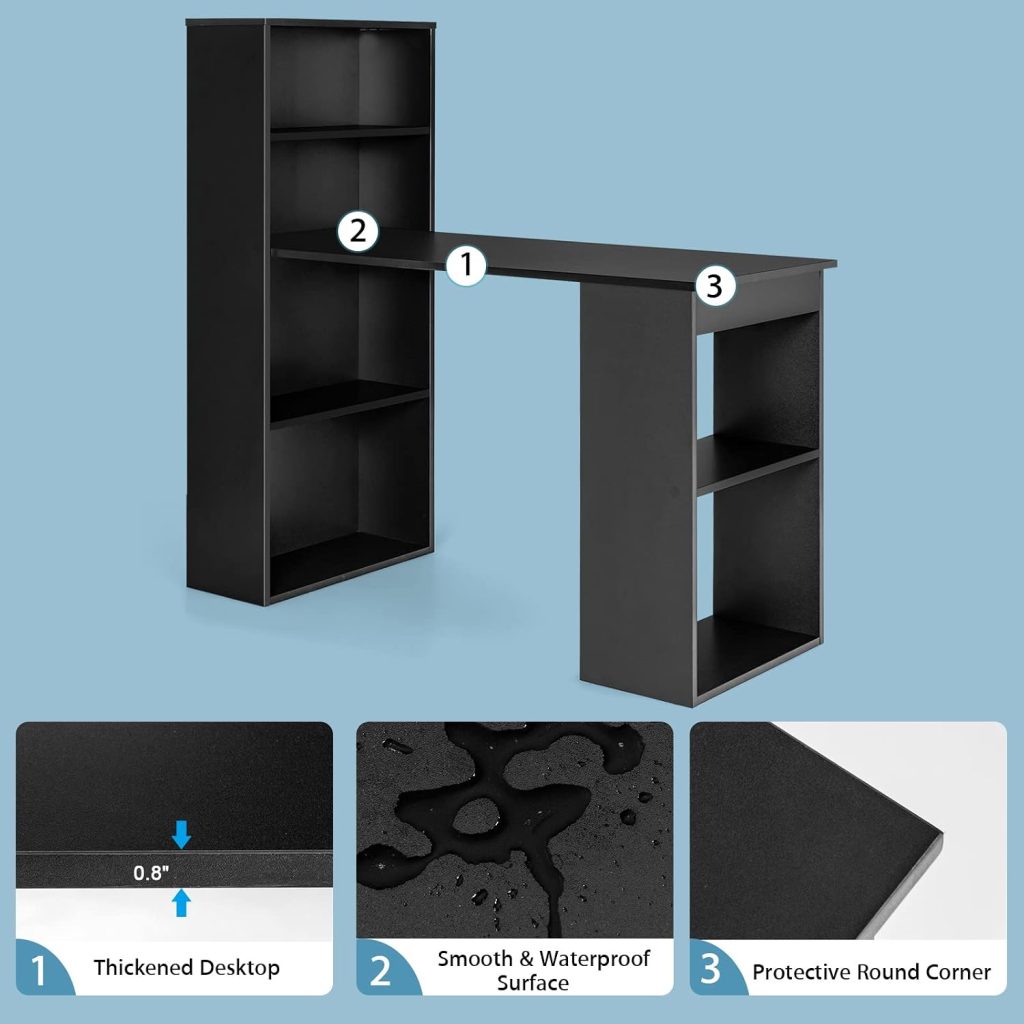
Tangkula Computer Desk with Bookshelf
Not a folding desk, but a compact multi-function workstation that works well as a corner desk. Full sizes features for the compact office and Minimalist in mind. The smaller side bookshelf can also be modified to house a desktop computer. My personal choice, and also highly recommended.
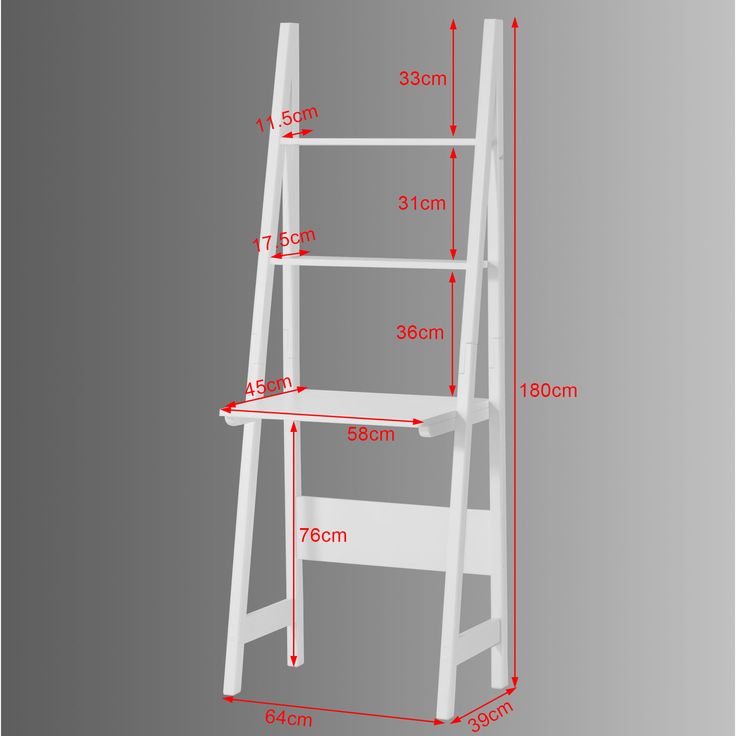
Haotian Ladder Desk with Shelves
A simple free standing ladder desk that is build for the Closet Office space. Perfect for apartments or other tight living quarters for those who use a laptop computer.
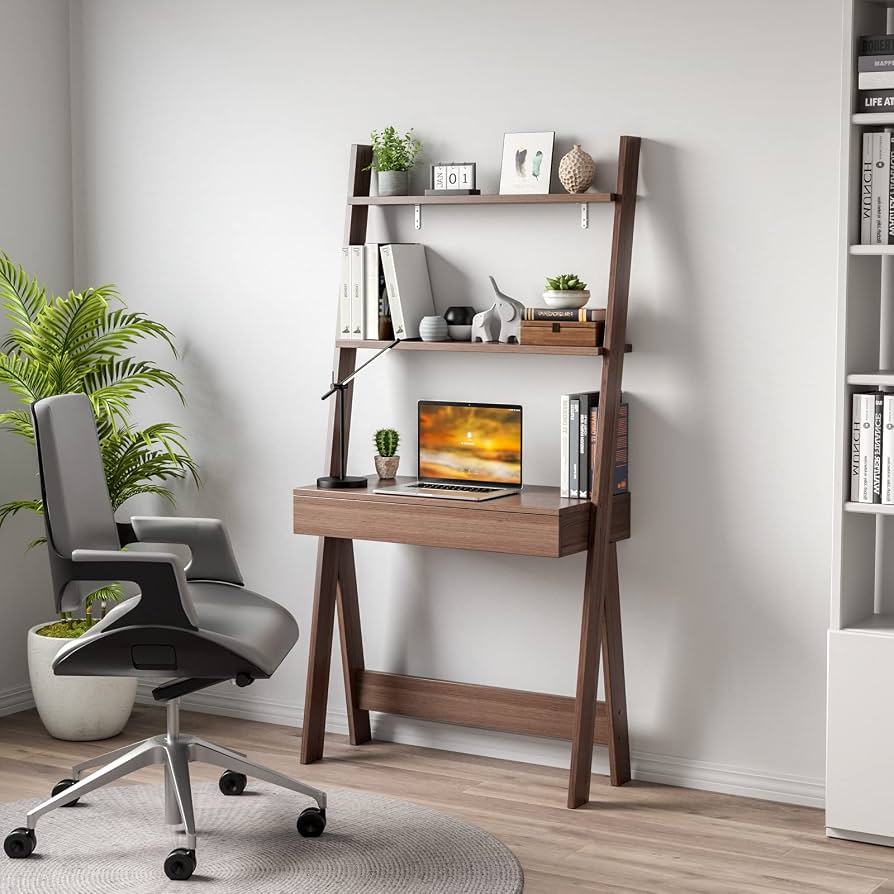
Tangkula Ladder Desk with Countertop & Drawer
A sturdier free standing Ladder desk with more room and extra storage. Provides more flexibility for adding on a desk lamp, or simple decor to enhance its Minimalist design. An excellent choice over all.
Seating Solutions: The Chair That Doesn’t Eat the Room
If you have zero room for a sprawling rolling chair, consider “active seating.” Think of chairs like the Capisco Puls or high-quality Ergonomic Stools. They encourage “active sitting,” where your core stays engaged and your spine stays neutral. If you must have a traditional chair, (view our recommendations) look for one with “flip-up arms.” This allows the chair to be pushed fully under the desk when the workday is done, effectively reclaiming that floor space for your “home” life.
In small spaces, we often buy “junior” or “small” furniture. Be careful! If the seat pan is too short, it won’t support your thighs, leading to poor circulation. Ensure that even a compact chair allows for about two fingers of space between the edge of the seat and the back of your knees.
The Visual Equation: Monitor Placement and Eye Health
Working on a laptop is an ergonomic disaster. Your neck is perpetually tilted down, creating “Tech Neck.” In a small apartment, you might not have room for a 32-inch monitor, but you do have room for a laptop riser and an external keyboard.
If you do get a monitor, do not use the stand it came with. Those stands take up valuable “desk real estate.” A CLAMP-ON MONITOR ARM allows the screen to hover above the desk. This opens up the space underneath for your keyboard or notebook. It’s like adding an extra floor to your desk.
Lighting: Bright Ideas for Dark Corners
Small apartments often suffer from poor natural light, especially in those awkward corners where we tuck our desks. Don’t rely on a bulky floor lamp. Use a “monitor light bar” like the Quntis Computer Monitor Lamp PRO+ or the Xiaomi Mi Computer Monitor Light Bar, both I highly recommend. These sit on top of your screen and illuminate your workspace without creating glare or taking up a single millimeter of desk space.
Pros and Cons:
Pros of Optimizing Your Small-Space Ergonomics
- Pain Prevention: Proper alignment stops the chronic neck and back pain associated with “couch-working.”
- Increased Focus: A dedicated, ergonomic zone signals to your brain that it’s time to work, boosting productivity.
- Spatial Harmony: A well-designed setup looks like part of the decor rather than a cluttered intrusion.
The Hidden Costs: Cons of Neglecting Ergonomics in Tiny Spaces
- Long-term Injury: Repetitive strain injuries (RSI) don’t care how small your rent is; they will still cost you in physical therapy.
- Mental Fatigue: Working in a cramped, unoptimized space increases cortisol levels and leads to faster burnout.
- Home/Work Blur: Without an organized “work zone,” your entire apartment starts to feel like an office, making it impossible to relax.
Cable Management: Taming the Kraken in the Corner
In a small space, a “cable nest” under your desk makes the whole room look messy. It’s visual noise. Use adhesive cable clips and a power strip box. If you can’t see the wires, the space feels exponentially cleaner.
The same is true for Vertical Storage. If your desk is small, your walls must be busy. Use pegboards. I love pegboards because they are infinitely customizable. Your headphones, pens, and even your keyboard can live on the wall when not in use.
My Personal Small-Space Transformation Story
I used to work from a folding chair at my dining table. Every night, my lower back felt like it had been through a trash compactor. I finally invested in a floating desk and a high-quality compact task chair. The difference wasn’t just physical; it was emotional. Suddenly, I didn’t hate my “office.” I had reclaimed my home. It turns out, I didn’t need a bigger apartment; I just needed a better plan.
Conclusion: Making Every Inch Count
Creating the best ergonomic setup for small apartments is an act of self-care. It’s about refusing to let your living situation dictate your physical health. Start with the desk, find a chair that respects your spine and your floor plan, and move your storage to the walls. You’ll find that when your body feels supported, your creativity has more room to grow, no matter how many square feet you have.
Frequently Asked Questions (FAQs)
- Can I really have an ergonomic setup at a dining table?
Yes, but you need “modifiers.” Use a seat cushion for lumbar support and a laptop riser so you aren’t looking down. It’s a “hybrid” setup, but it works! - What is the minimum desk width for a comfortable setup?
I suggest at least 30 inches. This gives you enough room for a keyboard and a mouse without your elbows hitting your ribs. - Are standing desk converters good for small apartments?
They can be, but they are often very bulky. If you have a small desk, a converter might take up all your space. A dedicated small standing desk is usually a better long-term investment. - How can I stop my chair from ruining my floors?
In small apartments, we move our chairs a lot. Get “rollerblade-style” caster wheels. They are silent and won’t scratch your hardwood or tile. - Is a “C-table” a good ergonomic desk option?
Only for very short periods. They are usually too low and unstable for an 8-hour workday. Think of them as a “temporary sprint” station, not a primary office.