Compact Ergonomic Keyboard for Small Desks
*Purchases made through our links may earn us a commission. Please view our disclosure to learn more.
I remember my first “home office”—which was actually just a repurposed vanity in a studio apartment. I had a massive, full-sized keyboard that hung off the edge like a cliffhanger in a bad movie. Every time I reached for my mouse, my shoulder would give a tiny, nagging protest. It took me months to realize that the “standard” keyboard layout wasn’t designed for my body; it was designed for data entry clerks in 1985.
For more information and product recomendations, read our post:
Guide to the Benefits of Using an Ergonomic Computer Keyboard
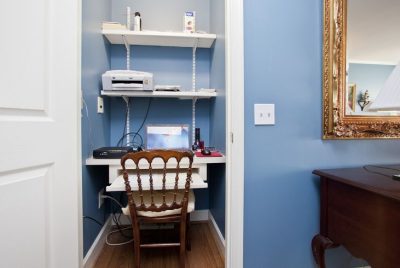
The Tiny Workspace Struggle: My Personal Office Transformation
When we work in small spaces, every square inch is high-value real estate. If your keyboard is taking up 18 inches of width, you’re likely pushing your mouse way out to the side. Think of your body like a well-tuned car. If the steering wheel is off-center, you’re going to experience uneven wear and tear. In the human body, that “wear and tear” manifests as neck tension, shoulder impingement, and the dreaded carpal tunnel.
I eventually ditched the “battleship” keyboards for something more streamlined. The shift wasn’t just about making my desk look like a Pinterest board; it was about bringing my mouse closer to my center of gravity. Have you ever noticed how much better you feel when you aren’t constantly reaching?
Why Your Standard Keyboard is Stealthily Sabotaging Your Health
The biggest culprit on a standard keyboard is the number pad. Unless you are an accountant crunching numbers for eight hours a day, that block of keys on the right is a physical barrier. It forces your right arm into “external rotation.” Over time, this constant reaching shortens your chest muscles and strains your upper back. This is there a compact keyboard comes in. When I talk about “compact” keyboards, I’m not just talking about “small.” I’m talking about intentional design. We measure these in percentages.
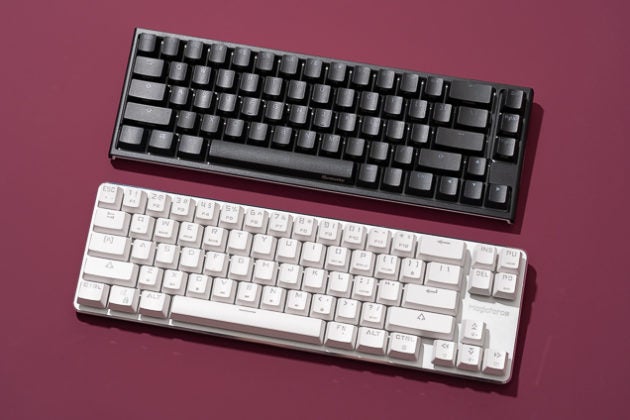
60%, 65%, and TKL: Deciphering the Keyboard Shorthand
- TKL (Tenkeyless): This is the “gateway drug” to small keyboards. It’s a standard keyboard with the number pad chopped off. It’s familiar, but saves about 4 inches of space.
- 65%: This is my personal sweet spot. It removes the top function row (F1-F12) but keeps the dedicated arrow keys. It’s tiny but functional.
- 60%: The minimalist’s dream. No arrows, no function row. It looks clean, but it requires learning “layers” (using a modifier key to access hidden functions).
The Science of the “Shoulder Reach” and Why It Matters
Ergonomics is often treated like a buzzword, but it’s really just the physics of comfort. When you use a compact board, you can keep your elbows tucked at 90-degree angles. This is your “neutral zone.”
Neutral Alignment: The Secret to Pain-Free Typing
When your keyboard is too wide, your wrists often bend outward to compensate. This is called “ulnar deviation.” It’s like trying to garden with your wrists bent at a 45-degree angle—it’s going to hurt eventually. A compact ergonomic keyboard encourages a straight line from your elbow to your fingertips.
The “Mouse Real Estate” Equation
If you have a 30-inch desk and a 10-inch mousepad, a 20-inch keyboard literally leaves you zero room for error. By shrinking the keyboard, you expand your “maneuverability.” This is especially vital for those of us who juggle a cup of coffee, a notebook, and a smartphone on the same small surface.
Pros of Switching to a Compact Ergonomic Setup
- Improved Posture: By bringing your peripherals closer, you naturally sit more upright rather than leaning into your workspace.
- Enhanced Focus: A less cluttered desk leads to a less cluttered mind. There’s a psychological “breathing room” that comes with a minimalist setup.
- Versatility: Most compact boards are highly portable. If you decide to work from a cafe or a library, your ergonomic support travels with you.
The Hidden Costs of Ignoring Ergonomics (Cons of Sticking to Old Habits)
- Repetitive Strain Injuries (RSI): Ignoring the signs of “mouse shoulder” today can lead to chronic pain that requires expensive physical therapy later.
- Reduced Productivity: It’s hard to focus on a deep-work project when you have a nagging ache between your shoulder blades.
- Desk Inefficiency: You’ll find yourself constantly rearranging your desk just to find a spot for your phone or a glass of water, breaking your creative flow.
Choosing Your Weapon: Types of Compact Ergonomic Boards
Not all compact boards are created equal. You have to decide how much “weirdness” you’re willing to tolerate in exchange for comfort.
The Alice Layout: A Curved Path to Comfort
The “Alice” layout is a single-piece keyboard where the keys are angled in a “V” shape. It mimics the natural angle of your wrists. It looks a bit like a butterfly, and once you try it, typing on a straight board feels like wearing shoes on the wrong feet.
Split Keyboards: The Ultimate Space-Saving Versatility
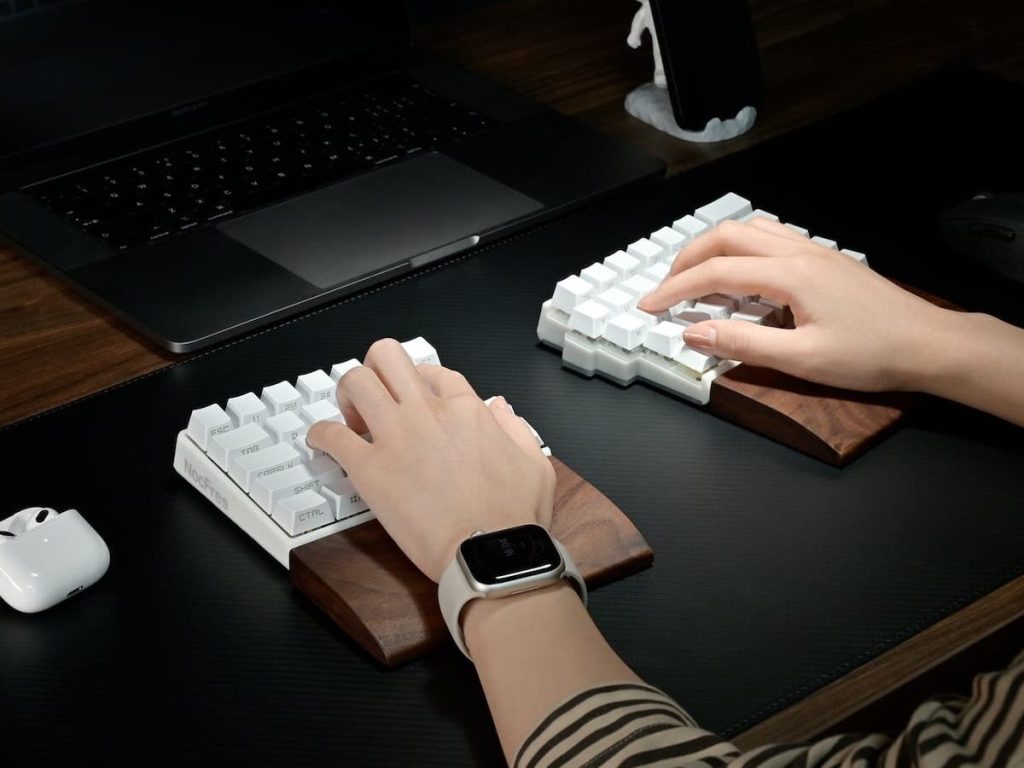
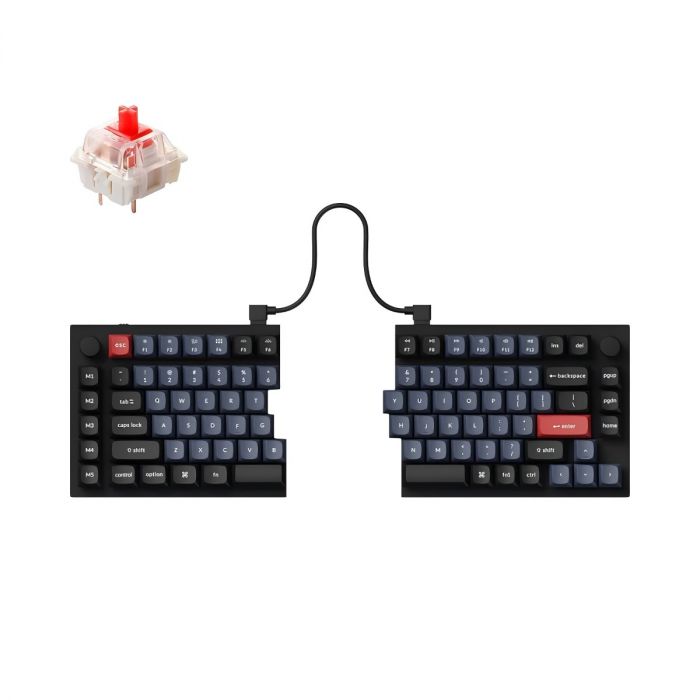
If you want the “Gold Standard,” look at split keyboards. These are two separate halves connected by a cable. On a small desk, this is magic. You can place the halves on either side of a laptop, or even tuck one half away if you’re only using shortcuts for a specific task.
Low-Profile vs. High-Profile: Finding Your Depth
Low-profile boards (think laptop-style keys) are great because they keep your wrists flatter against the desk, reducing the need for a wrist rest. High-profile boards (chunky mechanical keys) offer more tactile feedback but might require a small support to keep your hands at the right height.
Mechanical Switches: Why Your Fingers Deserve a Better Experience
I cannot stress this enough: the “feel” of the key matters. Membrane keyboards (the cheap ones that come with most PCs) require you to “bottom out” the key to register a stroke. This is high-impact for your finger joints. Mechanical switches allow you to type with a lighter touch. It’s the difference between walking on concrete and walking on a high-end track.
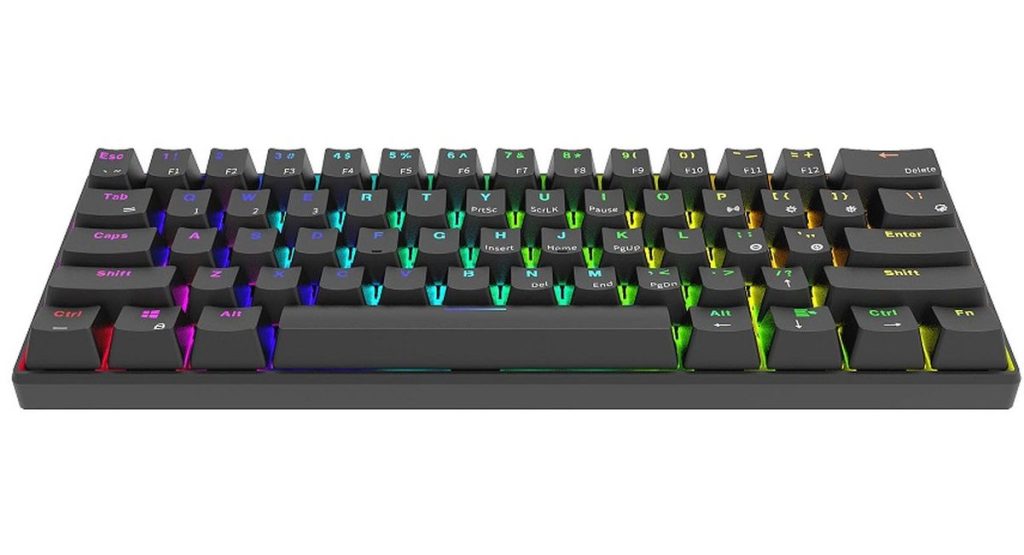
Your workspace should be a place you enjoy. A compact mechanical keyboard often comes with a satisfying “thock” sound that makes every email feel like a masterpiece. Plus, they often feature customizable lighting (RGB) that can help illuminate your keys in a dimly lit corner without needing a bulky desk lamp.
Practical Suggestions for Your Next Upgrade
If you’re ready to make the jump, start by measuring your “comfort zone.” Sit at your desk and place your hands where they feel most natural. Measure that distance. If your current keyboard is wider than that, it’s time for a change.
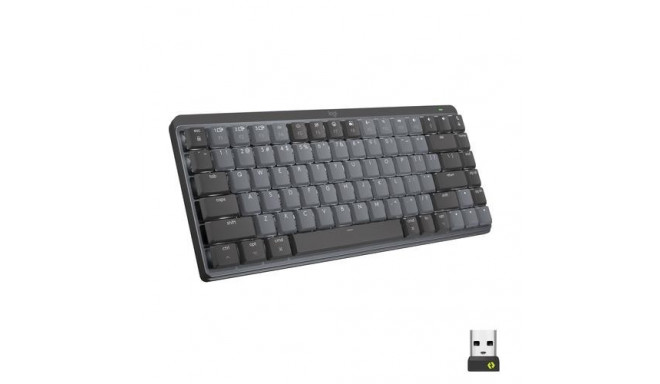
I suggest looking into the Logitech MX Mechanical Mini for a reliable, low-profile wireless experience, or the Keychron Q11 if you want to experiment with a split layout. If you’re on a budget, the Royal Kludge RK61 is a fantastic 60% starter board that fits literally anywhere.
Pairing Your Keyboard with Other Ergonomic Tools
Your keyboard doesn’t work alone when it comes to your ergonomic comfort. Pair it with a vertical or ergonomic mouse to maintain wrist neutrality. Keeping both tools aligned creates a seamless workflow. Center your keyboard with your monitor. Keep elbows at 90 degrees and maintain relaxed shoulders. And remember that proper monitor height, seating, desk height and feet placement are just as important too.
Small adjustments. Big rewards.
Conclusion: Small Footprint, Massive Impact
We often think that bigger is better, but in the world of home office ergonomics, “smaller is smarter.” By choosing a compact ergonomic keyboard, you aren’t just saving desk space—you’re investing in your longevity as a digital professional. Your desk should be a cockpit designed for your comfort, not a storage unit for unnecessary plastic. Make the switch; your shoulders, wrists, and your cramped little desk will thank you.
FAQs
1. Is it hard to learn how to use a keyboard without a number pad?
It takes about two days to break the muscle memory. If you really miss it, you can buy a standalone “mechanical numpad” and keep it in a drawer for when you’re doing your taxes!
2. Are compact keyboards good for gaming?
They are actually better for gaming! Most pro gamers use TKL or 60% boards because it gives them more room to swing their mouse during high-intensity movements.
3. Do I need a wrist rest for a compact keyboard?
It depends on the height. If the keyboard is “high-profile,” a slim wooden or foam rest can help maintain that neutral wrist angle I mentioned earlier.
4. Can I use these with a Mac?
Almost all modern compact keyboards are “OS agnostic.” They usually come with extra keycaps so you can swap the “Alt” key for a “Command” key.
5. Why are ergonomic keyboards usually more expensive?
They are niche products with specialized components. However, when you compare the cost of a good keyboard to the cost of medical treatment for a wrist injury, the keyboard is a bargain.