Compact Ergonomic Keyboard for Small Desks
*Purchases made through our links may earn us a commission. Please view our disclosure to learn more.
Introduction to Small Desk Ergonomics and Compact Ergonomic Keyboards
Have you ever felt like your desk is shrinking every time you sit down to work? I’ve been there, daily it seemed like. A laptop, a monitor, a mouse, a coffee mug… and suddenly there’s no room left. When I downsized my workspace, I quickly realized that my full-sized keyboard was the silent space hog. That’s when I started looking into the benefits of a compact ergonomic keyboard for small desks. For me, this changed everything. If you’re working with limited desk space, you don’t just need smaller gear, you need smarter gear to help make the most of the little desk space you have.
3 Pros of Using a Compact Ergonomic Keyboard
- More desk space and better organization
- Reduced shoulder and wrist strain
- Improved typing posture and workflow efficiency
3 Cons of Not Using One
- Persistent shoulder tension from overreaching
- Cluttered desk limiting mouse movement
- Increased risk of repetitive strain injuries
What Is a Compact Ergonomic Keyboard?
A compact ergonomic keyboard is designed to take up less horizontal space while supporting natural hand, wrist, and shoulder positioning. It eliminates unnecessary bulk, like the ten key pad, without sacrificing performance. And many are wireless, something else to consider with less desk space. Standard keyboards stretch wide, while compact ergonomic ones streamline the layout and prioritize comfort.
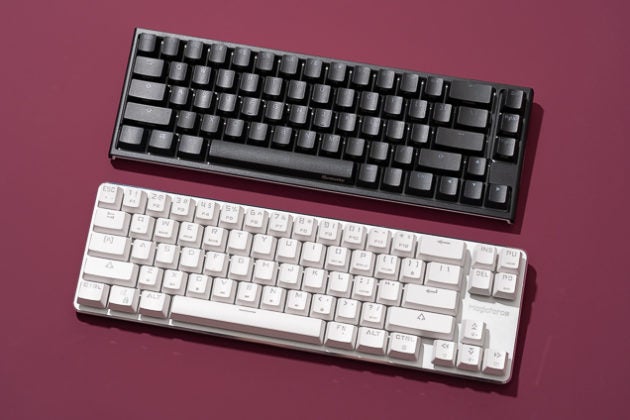
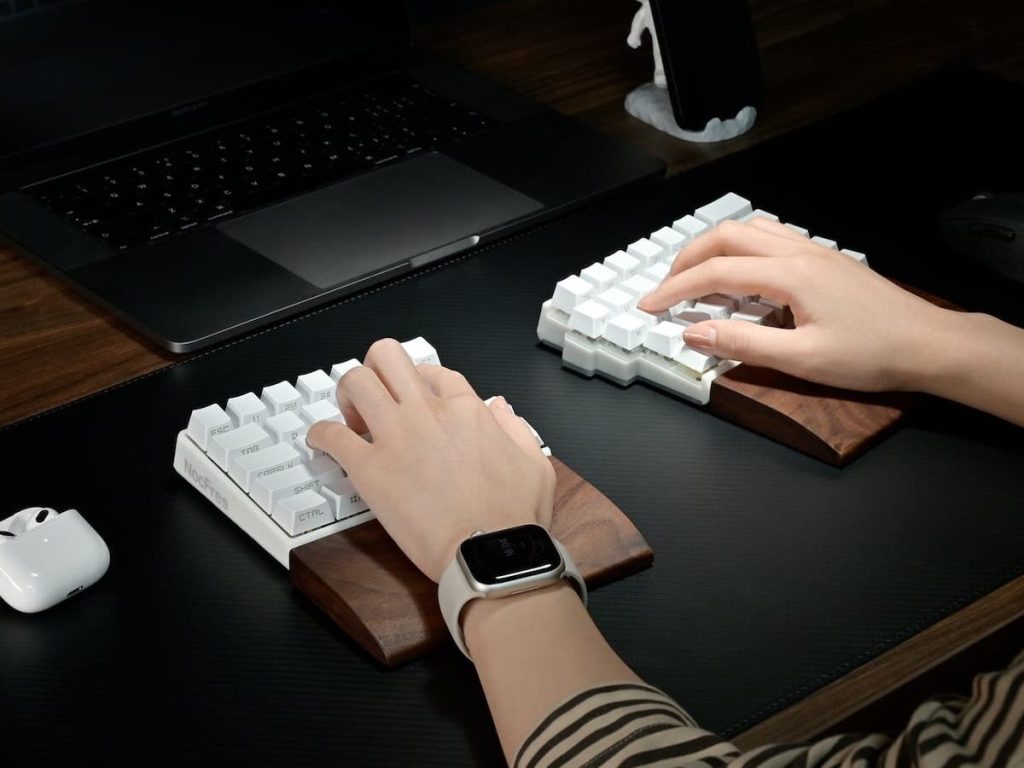
Most compact models are “ten keyless,” meaning they remove the numeric keypad. And some designs include separate ten key pads that can be connected or disconnected as needed. This pulls your mouse closer to your body and choosing a wireless keyboard/mouse has it’s many benefits also. And that small shift? Huge difference. And some models go further with split layouts or curved key arrangements. These mimic the natural angle of your hands, reducing strain during long typing sessions. It’s like the difference between walking barefoot on sand versus concrete. One feels natural. The other… not so much.
Why Small Desks Need Smart Solutions
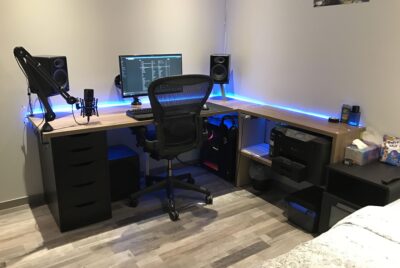
When you think about it, small desks aren’t the problem. Poor layout and usage of space is. When space is tight, every inch matters. A wide keyboard forces your mouse outward, which pulls your shoulder with it. Over time, that constant outward reach creates tension. I didn’t notice it myself at first, but it wasn’t long for the shoulder stiffness to show it’s self. And that soon led to other discomforts as well. Added to this was the ever present clutter on and around my smaller desk that made positioning my old keyboard and mouse even more uncomfortable.
But when I switched to a compact ergonomic keyboard I had more space to move my keyboard to a more comfortable position for my hands. And this helped in realigning the rest of me for a more comfortable work experience in my new found smaller work space.
Health Benefits of a Compact Ergonomic Keyboard
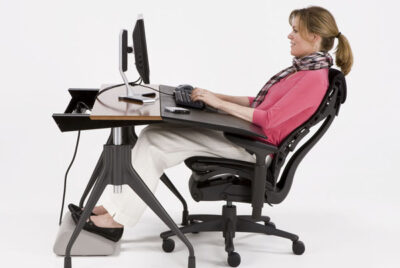
Let’s talk body mechanics and keyboard ergonomics. The narrower keyboard design keeps your arms closer to your torso. That reduces external shoulder rotation. Many compact ergonomic keyboards feature slight tenting or negative tilt, that keeps wrists in a neutral position that greatly reduce strain and fatigue. When your keyboard fits your space, your posture improves naturally. You sit more centered with your spine aligned and your elbows tucked in.
Ones like the ProtoArc Ergonomic Keyboard.
No forcing. No overreaching.
And with extra space, your mouse movements become smoother and more controlled. That’s especially helpful for designers, gamers, and anyone using detailed cursor work. Everything feels tighter and more efficient, like a well-organized kitchen. When tools are within reach, you cook faster.
Mechanical vs. Membrane Compact Ergonomic Keyboards
Mechanical keyboards offer tactile feedback and durability. Membrane keyboards are quieter and often more affordable. I personally lean towards mechanical as it feels more precise. But if you share your workspace, quieter membrane models might be better.
My Personal Experience Switching Keyboards
Here’s something else I noticed too. Before switching, my desk felt cramped. My right shoulder constantly reached outward, and my wrists felt tight after long writing sessions.
After upgrading to a compact ergonomic keyboard? My mouse moved closer. My posture centered while my discomfort dropped dramatically within weeks. It wasn’t a dramatic overnight change, but it was a steady, noticeable improvement. And that’s what matters.
How to Choose the Right Compact Ergonomic Keyboard
To begin with, not all compact keyboards are equal. Measure your desk first so you know your available width. If you’re working with under 40 inches, compact is almost mandatory. Do you rely heavily on a number pad? Consider a separate external ten key pad instead of a full-size keyboard. Do you need a 50%, 60% or 65% split mechanical ergonomic keyboard? That depends on what tasks you’re working on the most and if you do extensive travel or not. If you’re strictly doing social media content, do you really need a ten key pad?
The EPOMAKER Split65 QMK/VIA is my personal favorite.
Prices range widely. High-end ergonomic models cost more, but they’re worth the long-term investments in comfort. Would you rather replace a cheap keyboard yearly or buy one solid option once?
Pairing Your Keyboard with Other Ergonomic Tools
Your keyboard doesn’t work alone when it comes to your ergonomic comfort. Pair it with a vertical or ergonomic mouse to maintain wrist neutrality. Keeping both tools aligned creates a seamless workflow. Center your keyboard with your monitor. Keep elbows at 90 degrees and maintain relaxed shoulders. And remember that proper monitor height, seating, desk height and feet placement are just as important too.
Small adjustments. Big rewards.
Final Thoughts
A compact ergonomic keyboard for small desks isn’t just about saving space, it’s about reclaiming comfort. When your tools fit your workspace, your body works better. Your posture improves. Your focus sharpens.
So, if your desk feels crowded or your shoulders ache at the end of the day, maybe it’s not you. Maybe it’s your keyboard?
FAQs
1. Is a compact keyboard good for typing long hours? Yes, especially ergonomic models designed to support neutral wrist positioning.
2. Do I lose functionality without a number pad? Most people rarely use it. If needed, you can always add a separate numeric keypad.
3. Are compact ergonomic keyboards hard to adjust to? There’s a short learning curve, but most users adapt within a few days.
4. Is mechanical or membrane better for ergonomics? Both can be ergonomic. It depends more on layout and wrist positioning than switch type.
5. Can a compact keyboard really reduce shoulder pain? Yes. By reducing width, it brings your mouse closer and minimizes outward arm strain.